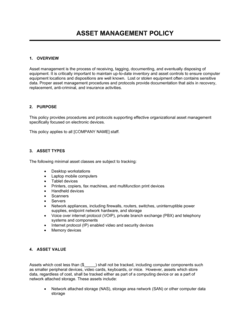
Data Management Policy Template

Free Word download β€’ Edit online β€’ Save & share with Drive β€’ Export to PDF

5 pagesβ€’25–30 min to fillβ€’Difficulty: Standard
Learn more ↓
FreeData Management Policy Template

At a glance

What it is
A Data Management Policy is an internal governance document that defines how an organization collects, stores, classifies, accesses, shares, and disposes of data across its operations. This free Word download gives you a structured, editable starting point you can tailor to your organization's systems and compliance requirements, then export as PDF to distribute to staff.
When you need it
Use it when onboarding new systems or cloud platforms, when preparing for a compliance audit, when scaling a team that handles sensitive customer or financial data, or when a regulator or enterprise client requests evidence of a formal data governance framework.
What's inside
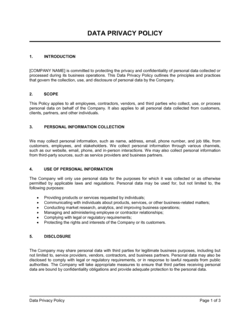
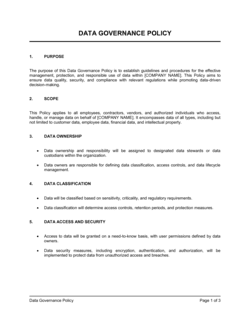
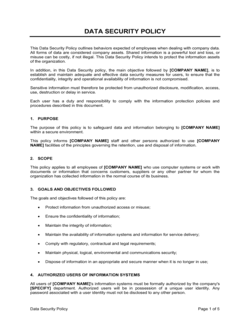
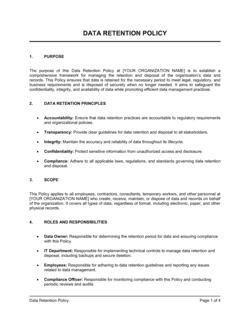
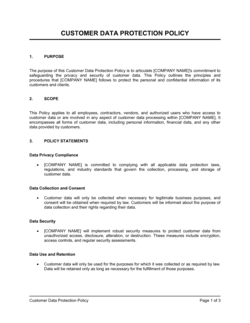
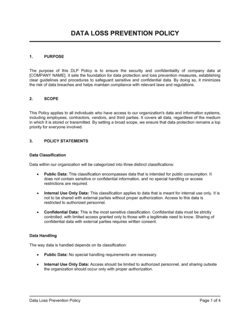
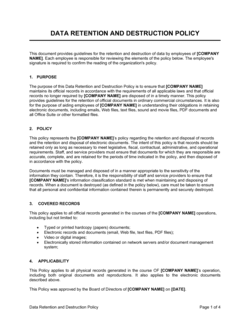
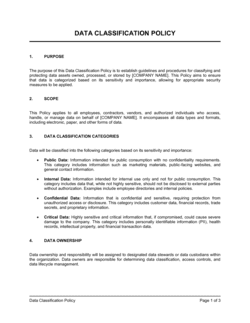
Purpose and scope, data classification tiers, roles and responsibilities, data collection and storage standards, access control rules, data retention and disposal schedules, breach response procedures, and policy review cadence.

What is a Data Management Policy?

A Data Management Policy is an internal governance document that defines how an organization collects, classifies, stores, accesses, shares, retains, and disposes of data across all of its systems and business units. It establishes clear rules for every employee who touches organizational data β€” from the sales rep entering a customer record to the IT administrator managing cloud backups β€” and assigns named accountability for enforcing those rules. Unlike a public-facing privacy policy, which describes data practices to customers and website visitors, a data management policy is an operational instrument that governs internal behavior throughout the full data lifecycle.

Why You Need This Document

Without a data management policy, data-handling practices default to whatever individual employees and departments decide is reasonable β€” which produces inconsistent security controls, redundant or inaccurate records, retention gaps, and compliance exposure that surfaces only when it is too late to correct. Regulators across healthcare, finance, and any industry handling personal data expect documented evidence of a formal governance framework during audits; the absence of a written policy is itself a finding. Enterprise clients and government procurement processes increasingly require a data management policy as a condition of contract award. A single unmanaged data breach β€” traceable to an employee sharing a file through an unapproved tool or a former contractor retaining system access β€” can trigger notification obligations, regulatory fines, and reputational damage that far exceeds the cost of a few hours spent completing this template. This document gives you the structure to close those gaps before they become incidents.

Which variant fits your situation?

If your situation is…Use this template
Governing how personal data is collected and processed under privacy lawData Privacy Policy
Specifying how long different categories of records must be keptData Retention Policy
Defining acceptable use of company IT systems and data by employeesAcceptable Use Policy
Responding to a confirmed data breach or security incidentData Breach Response Plan
Documenting security controls for a SOC 2 or ISO 27001 auditInformation Security Policy
Establishing rules for how employees access and use cloud applicationsCloud Data Management Policy
Setting standards for managing physical and digital records across departmentsRecords Management Policy

Common mistakes to avoid

❌ Scoping the policy to IT staff only

Why it matters: Most data-handling errors occur in sales, HR, and finance β€” teams that are accidentally left outside a narrow IT-focused scope, meaning the policy offers no protection where risk is highest.

Fix: Explicitly name every department and role type that touches organizational data in the scope section, and distribute the policy with acknowledgment requirements to all staff.

❌ Retaining all data indefinitely with no disposal schedule

Why it matters: Unlimited retention expands breach liability, increases storage costs, and broadens the scope of data subject to legal discovery β€” all without any operational benefit.

Fix: Build a retention schedule table assigning a specific end date and disposal method to every data category, and automate deletion reminders where possible.

❌ No access review cycle after initial setup

Why it matters: Former employees, role-changers, and contractors commonly retain access to sensitive systems for months after they no longer need it, creating a persistent unauthorized-access risk.

Fix: Schedule quarterly or semi-annual access reviews in which IT and department managers jointly verify that each user's permissions match their current role.

❌ Publishing the policy without staff training or acknowledgment

Why it matters: A policy uploaded to an intranet with no communication is not a governance control β€” employees cannot comply with rules they are unaware of, and regulators expect documented proof of communication.

Fix: Pair every policy publication with a brief training session and a signed or electronically recorded acknowledgment from each employee, stored in the HR system.

❌ Using a single generic data category instead of a classification framework

Why it matters: Without classification tiers, all data is treated the same way β€” highly sensitive financial records receive the same (often inadequate) handling as public marketing materials.

Fix: Implement three to four classification levels with concrete examples for each, and tie storage, access, and disposal rules directly to the classification tier.

❌ No named data steward for each business domain

Why it matters: When data quality or access issues arise and ownership is assigned to 'the organization' or 'IT,' no one takes action β€” problems compound until they trigger an incident or audit finding.

Fix: Assign a named steward to each major data domain β€” customer data, HR data, financial data β€” with explicit responsibilities documented in the policy's roles section.

The 10 key sections, explained

Purpose and scope

Data classification framework

Roles and responsibilities

Data collection and quality standards

Data storage and security controls

Access control and authentication

Data retention and disposal

Data sharing and third-party transfers

Breach identification and response

Policy review and compliance

How to fill it out

  1. 1

    Define the scope and the data types in scope

    List every category of data your organization handles β€” customer records, employee files, financial data, intellectual property β€” and confirm which systems, locations, and third parties fall within the policy's reach.

    πŸ’‘ Interview department heads in sales, HR, and finance before finalizing scope; they handle data that IT often does not know exists.

  2. 2

    Establish your classification tiers

    Choose three or four classification levels, write a one-sentence definition for each, and provide two to three concrete examples per tier drawn from your actual data inventory.

    πŸ’‘ Test the tiers with five non-technical employees β€” if they cannot correctly classify a sample record in under 30 seconds, simplify the definitions.

  3. 3

    Assign named owners, stewards, and responsibilities

    Replace generic role labels with actual job titles β€” or individual names for smaller organizations β€” and ensure each person has explicitly accepted their accountability before the policy is published.

    πŸ’‘ Send a brief acknowledgment email to each named steward confirming they understand their responsibilities; keep the responses on file.

  4. 4

    Document approved storage systems and security controls

    List every approved storage platform by classification tier, specify the encryption standard required, and state backup frequency and recovery-time objectives for each system.

    πŸ’‘ Include a short 'not approved for' note next to each tool β€” e.g., 'Personal Google Drive: not approved for Confidential data' β€” to eliminate ambiguity.

  5. 5

    Build the retention schedule

    For each data category, enter the minimum retention period required by law or regulation, the business-need period, and the secure disposal method. Take the longer of the two periods as your retention requirement.

    πŸ’‘ Cross-reference applicable regulations (tax, employment, healthcare, financial) before setting retention periods; incorrect periods create legal risk in either direction.

  6. 6

    Define the breach response workflow

    Map the step-by-step process from incident discovery to containment to notification, name the individuals responsible for each step, and include contact details and a 24-hour escalation path.

    πŸ’‘ Run a tabletop exercise with the response team using a realistic scenario before publishing the policy β€” gaps in the workflow surface immediately.

  7. 7

    Set the review cycle and approval workflow

    Enter the review frequency (annually is standard), name the approving executive, and add a version history table to the document so readers can see what changed and when.

    πŸ’‘ Calendar the annual review as a recurring event on the day the policy is first published β€” review dates that are not scheduled are consistently missed.

  8. 8

    Distribute, train, and collect acknowledgments

    Publish the approved policy to your intranet or document management system, deliver a brief training session for all staff, and collect signed acknowledgments confirming each employee has read and understood the policy.

    πŸ’‘ A policy that exists but has not been communicated provides no protection during an audit or incident investigation β€” documented acknowledgment is the evidence that matters.

Frequently asked questions

What is a data management policy?

A data management policy is an internal governance document that defines how an organization collects, classifies, stores, accesses, shares, retains, and disposes of data. It applies to all employees and systems that handle organizational data and provides the rules staff must follow to protect data quality, security, and regulatory compliance. It is distinct from a public-facing privacy policy, which describes data practices to external users.

Why do organizations need a data management policy?

Without a data management policy, data-handling practices vary by department and individual, creating inconsistent security controls, retention gaps, and compliance exposure. Regulators in healthcare, finance, and any sector handling personal data routinely request evidence of formal data governance during audits. Enterprise clients and partners increasingly require a documented data management policy as a condition of doing business. The policy also reduces the business impact of staff turnover by encoding data practices in writing rather than in individuals' memories.

What is the difference between a data management policy and a privacy policy?

A privacy policy is a public-facing document that informs customers and website visitors how their personal data is collected and used β€” it is typically a legal disclosure requirement. A data management policy is an internal governance document that tells employees how to handle all organizational data. The privacy policy describes external commitments; the data management policy defines internal rules that help the organization honor those commitments.

What data classification levels should a policy use?

Three to four tiers is the practical standard: Public, Internal, Confidential, and Restricted (or an equivalent scheme). Each tier should have a one-sentence definition and concrete examples from your actual data inventory. More than four tiers consistently leads to misclassification in practice because staff cannot hold the distinctions in memory during routine work.

How long should data be retained under a data management policy?

Retention periods vary by data category and applicable law. Tax records typically require seven years in most jurisdictions; employment records range from three to seven years depending on the country and record type; healthcare records may require ten or more years. The retention schedule in the policy should take the longer of the legal minimum and the business-need period for each category, and specify the secure disposal method to be used at expiry.

Who is responsible for enforcing a data management policy?

Enforcement is shared. A named executive β€” typically the CTO, CIO, or COO β€” owns the policy and is accountable for overall compliance. Data stewards assigned to each business domain manage day-to-day adherence within their areas. All employees are responsible for following the rules that apply to their role. IT enforces technical controls such as access permissions and encryption requirements.

How often should a data management policy be reviewed?

Annual review is the standard minimum. A review should also be triggered by any significant change in the business β€” adding a new cloud platform, entering a new market, acquiring a company, or becoming subject to a new regulation. The policy version history should document what changed, who approved it, and the effective date of each revision.

Does a small business need a data management policy?

Yes, if it handles customer personal data, employee records, or financial data β€” which describes almost every business. Small businesses are subject to the same data breach notification laws as large ones, and the proportional cost of an unmanaged data incident is typically higher. A concise policy covering classification, storage, access, retention, and breach response is achievable in a few hours using a structured template and provides meaningful legal and operational protection.

What is the difference between a data management policy and an information security policy?

An information security policy focuses specifically on protecting data from unauthorized access, theft, and loss β€” covering technical controls, network security, endpoint management, and incident response. A data management policy is broader: it also covers data quality, classification, retention, and disposal across the full data lifecycle. Most organizations need both, with the information security policy sitting inside the broader data governance framework established by the data management policy.

How this compares to alternatives

vs Information Security Policy

An information security policy focuses on protecting data from unauthorized access and cyber threats β€” covering network controls, endpoint security, and incident response. A data management policy addresses the full data lifecycle, including collection, quality, classification, retention, and disposal. Most organizations need both: the data management policy sets the governance framework; the security policy defines the technical controls that protect it.

vs Data Privacy Policy

A data privacy policy is a public-facing legal disclosure that tells customers and website visitors how their personal data is handled. A data management policy is an internal operational document that tells employees how to manage all organizational data. The privacy policy fulfills external legal obligations; the data management policy governs internal behavior that makes those obligations achievable.

vs Records Management Policy

A records management policy focuses specifically on the creation, storage, and disposal of formal business records β€” contracts, correspondence, and regulatory filings β€” with an emphasis on legal hold and discovery readiness. A data management policy is broader, covering structured and unstructured data across all systems, not just formal records. Organizations subject to significant litigation risk typically need both.

vs Acceptable Use Policy

An acceptable use policy governs how employees may use company IT systems, devices, and networks β€” including rules on personal use, prohibited software, and internet access. A data management policy governs what happens to the data those systems generate and store. The acceptable use policy defines employee behavior on systems; the data management policy defines how the data within those systems must be handled throughout its lifecycle.

Industry-specific considerations

Healthcare

Patient records, diagnostic data, and billing information require retention periods of 10 or more years and specific handling rules under HIPAA or equivalent national regulations.

Financial Services

Transaction records, account data, and KYC documentation carry regulatory retention mandates of 5–7 years and must satisfy SEC, FINRA, or equivalent authority requirements for auditability.

SaaS / Technology

Customer data held in cloud platforms requires explicit classification tiers, vendor data-processing agreements, and retention rules tied to subscription terms and GDPR or CCPA obligations.

Professional Services

Client files, engagement records, and confidential work product must be classified and retained in line with professional licensing requirements and client confidentiality obligations.

Retail / E-commerce

Payment card data, purchase history, and customer PII require PCI-DSS-aligned handling, strict access controls, and clear retention limits to minimize breach scope.

Manufacturing

Product specifications, supplier contracts, and quality control records must be retained according to product liability timelines, which can extend to the expected product life plus several years.

Template vs pro β€” what fits your needs?

PathBest forCostTime
Use the templateSmall to mid-sized businesses establishing a first formal data governance frameworkFree3–6 hours
Template + professional reviewBusinesses subject to GDPR, HIPAA, PCI-DSS, or SOC 2 that need compliance-specific language reviewed$300–$800 for a compliance consultant or IT-law attorney review1–3 days
Custom draftedEnterprises with complex multi-cloud environments, cross-border data transfers, or multiple regulatory frameworks$2,000–$8,000 for a data governance consultant or specialized law firm2–6 weeks

Glossary

Data Classification
A tiered system that labels data by sensitivity level β€” such as Public, Internal, Confidential, or Restricted β€” to determine how it must be handled and protected.
Data Steward
A designated individual responsible for maintaining data quality, enforcing classification rules, and approving access requests for a specific data domain.
Data Retention Schedule
A documented table specifying how long each category of data must be kept before it is archived or securely deleted, based on legal, regulatory, and business requirements.
Access Control
Technical and procedural rules that restrict who can read, modify, or delete specific data, typically enforced through role-based permissions.
Data Minimization
The principle of collecting only the data that is strictly necessary for a defined purpose, reducing storage costs and privacy exposure.
Data Lineage
A traceable record of where data originated, how it has moved through systems, and what transformations it has undergone.
Personally Identifiable Information (PII)
Any data that can identify a specific individual, including names, email addresses, social security numbers, and IP addresses.
Secure Disposal
The process of permanently destroying data β€” through certified deletion, degaussing, or physical destruction of media β€” so it cannot be recovered.
Data Quality
A measure of data accuracy, completeness, consistency, and timeliness relative to its intended use.
Role-Based Access Control (RBAC)
An access model that assigns permissions to job roles rather than individual users, so rights are inherited automatically when someone is assigned a role.

Part of your Business Operating System

This document is one of 3,000+ business & legal templates included in Business in a Box.

  • Fill-in-the-blanks β€” ready in minutes
  • 100% customizable Word document
  • Compatible with all office suites
  • Export to PDF and share electronically

Create your document in 3 simple steps.

From template to signed document β€” all inside one Business Operating System.
1
Download or open template

Access over 3,000+ business and legal templates for any business task, project or initiative.

2
Edit and fill in the blanks with AI

Customize your ready-made business document template and save it in the cloud.

3
Save, Share, Send, Sign

Share your files and folders with your team. Create a space of seamless collaboration.

Save time, save money, and create top-quality documents.

β˜…β˜…β˜…β˜…β˜…

"Fantastic value! I'm not sure how I'd do without it. It's worth its weight in gold and paid back for itself many times."

Managing Director Β· Mall Farm
Robert Whalley
Managing Director, Mall Farm Proprietary Limited
β˜…β˜…β˜…β˜…β˜…

"I have been using Business in a Box for years. It has been the most useful source of templates I have encountered. I recommend it to anyone."

Business Owner Β· 4+ years
Dr Michael John Freestone
Business Owner
β˜…β˜…β˜…β˜…β˜…

"It has been a life saver so many times I have lost count. Business in a Box has saved me so much time and as you know, time is money."

Owner Β· Upstate Web
David G. Moore Jr.
Owner, Upstate Web

Run your business with a system β€” not scattered tools

Stop downloading documents. Start operating with clarity. Business in a Box gives you the Business Operating System used by over 250,000 companies worldwide to structure, run, and grow their business.

Free Forever PlanΒ Β·Β No credit card required