How to Manage Your Files and Records

Free Word download β€’ Edit online β€’ Save & share with Drive β€’ Export to PDF

3 pagesβ€’20–25 min to fillβ€’Difficulty: Standard
Learn more ↓
FreeHow to Manage Your Files and Records Template

At a glance

What it is
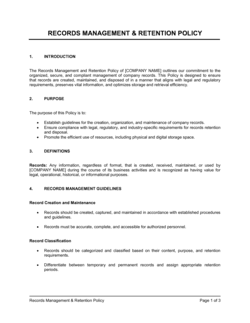
A How To Manage Your Files And Records document is a structured operational policy that defines how a business creates, names, stores, retrieves, retains, and disposes of its files and records. This free Word download gives you an editable framework you can tailor to your team size and industry, then export as PDF and distribute as a standing operating procedure.
When you need it
Use it when onboarding new staff who need to follow a consistent filing system, when preparing for an audit that requires a documented retention schedule, or when migrating from paper to digital records and need a written policy to govern the new system.
What's inside
Scope and objectives, file naming conventions, folder structure standards, record classification and retention schedules, access controls, version control procedures, archiving and disposal protocols, and staff responsibilities.

What is a How To Manage Your Files And Records document?

A How To Manage Your Files And Records document is a structured operational policy that defines the rules and procedures governing every stage of a business record's life β€” from the moment it is created or received through to its final archiving or secure destruction. It establishes naming conventions, folder hierarchies, classification tiers, access permissions, retention schedules, and disposal procedures in a single authoritative reference that all staff are expected to follow. Rather than leaving each employee to devise their own filing approach, the policy creates a consistent, auditable system that works regardless of who is in the role.

Why You Need This Document

Without a written records management policy, every employee files documents differently β€” and within 12 months, your shared drive or filing cabinets become a system only the person who created them can navigate. When a tax authority requests 3 years of financial records, or a client dispute requires producing the original signed contract, or a key employee leaves and takes institutional knowledge with them, the absence of a documented filing system turns a routine request into a days-long search. Regulated industries face harder consequences: failure to produce records on demand can result in fines, lost accreditation, or adverse inferences in litigation. A documented policy also protects the business at the other end of the retention period β€” logged, policy-compliant disposal of records is your defense against claims that documents were destroyed to avoid scrutiny. This template gives you a ready-to-customize framework that covers both physical and digital records, assigns clear ownership, and gives your team a reference they can follow from day one.

Which variant fits your situation?

If your situation is…Use this template
Setting a company-wide policy for all record typesHow To Manage Your Files And Records
Defining retention periods for specific document categoriesRecords Retention Schedule
Governing how employees handle confidential data and documentsConfidentiality Policy
Standardizing procedures for a single department or teamStandard Operating Procedure (SOP)
Outlining how digital assets and files are organized in IT systemsIT Policy Manual
Managing records specifically related to human resourcesHR Policies and Procedures Manual
Preparing for a document audit or regulatory inspectionInternal Audit Checklist

Common mistakes to avoid

❌ No named policy owner

Why it matters: Without a specific person responsible for maintaining the policy, updates stall, violations go unaddressed, and the system silently degrades until an audit or dispute exposes the gaps.

Fix: Assign a named role β€” not a team or department β€” with explicit authority to enforce the policy, approve exceptions, and conduct the annual review.

❌ Applying a single retention period to all records

Why it matters: Statutory minimums vary by record type β€” keeping everything for 7 years retains records longer than required (increasing breach exposure) and may still miss categories that must be kept permanently.

Fix: Build a retention schedule table that lists each record category, the applicable statutory minimum, and the trigger event, and review it annually against any regulatory changes.

❌ Permitting personal device or personal cloud storage

Why it matters: Records stored outside company-controlled systems cannot be accessed during audits, are not covered by company backup and security policies, and are lost permanently when the employee leaves.

Fix: Explicitly prohibit personal storage in the policy and configure your IT systems to block sync from company accounts to personal cloud services wherever technically feasible.

❌ Logging disposal actions inconsistently or not at all

Why it matters: If a regulator or court requests a document and you cannot prove it was destroyed according to policy, the assumption is that it still exists and is being withheld β€” a far worse outcome than the missing document itself.

Fix: Maintain a Records Disposal Register with the record category, quantity, destruction method, date, and the name of the staff member who authorized and witnessed disposal.

The 9 key sections, explained

Purpose and scope

Record classification and categories

File naming conventions

Folder structure and storage locations

Version control and document approval

Access controls and permissions

Retention schedule

Archiving and disposal procedures

Staff responsibilities and training

How to fill it out

  1. 1

    Define the scope and assign a policy owner

    Name the specific record types and locations the policy covers β€” shared drives, physical cabinets, email archives, and cloud platforms. Assign a named role (not just a department) as policy owner with clear authority to enforce it.

    πŸ’‘ Limit the scope to systems your organization actually uses today β€” a policy that covers platforms you do not use creates confusion and undermines credibility.

  2. 2

    List and classify all record types

    Inventory every type of document your business generates β€” financial, HR, legal, client, operational β€” and assign each a sensitivity tier. Use four tiers at most to keep the system usable.

    πŸ’‘ Pull a sample week of emails and files to build your inventory from real evidence rather than guessing what exists.

  3. 3

    Write and publish the naming convention

    Define the exact file naming format with a worked example for each record category. Publish the approved document-type code list as an appendix so staff have a reference they can bookmark.

    πŸ’‘ Test the convention on five real files before publishing β€” if it produces awkwardly long names or unclear abbreviations, simplify before rollout.

  4. 4

    Map the approved folder structure

    Draw the full directory hierarchy and set the maximum number of sub-folder levels allowed (three to four is the practical maximum before search fails). Document which team owns each top-level folder.

    πŸ’‘ Mirror the folder structure in your cloud platform and your physical filing cabinets β€” staff working across both systems need to find things in the same logical place.

  5. 5

    Set retention periods by record category

    Research the statutory retention minimums for your industry and jurisdiction for each record type. Enter the retention period, trigger event, and required format (original or copy) in the retention schedule table.

    πŸ’‘ Start with financial records (typically 7 years in most jurisdictions) and employment records, then work outward β€” these two categories cover 60–70% of most businesses' document volume.

  6. 6

    Define access permissions by role

    Map each record category to the roles permitted to view, edit, and delete it. Document the access request and revocation process, including the timeline for removing access when an employee exits.

    πŸ’‘ Apply the principle of least privilege β€” grant the minimum access needed for each role to do their job, not the broadest level that is technically convenient.

  7. 7

    Document the disposal and archiving procedure

    Specify the approved destruction method for paper (cross-cut shredding) and digital (certified deletion or platform-level purge) records, and the log entry required to confirm disposal.

    πŸ’‘ Keep the Records Disposal Register for at least as long as the retention period of the records it documents β€” it is itself an auditable record.

  8. 8

    Train staff and schedule an annual review

    Deliver a 30-minute onboarding session covering naming conventions, folder structure, and disposal procedures. Set a calendar reminder for an annual policy review to catch platform changes, new record types, and updated statutory requirements.

    πŸ’‘ Record the training session and post it on your intranet β€” new hires can complete it on day one without scheduling a live session.

Frequently asked questions

What is a file and records management policy?

A file and records management policy is a written document that defines how a business creates, names, stores, retrieves, retains, and disposes of its records. It covers both physical and digital files and assigns responsibilities to specific roles. Without a policy, businesses accumulate inconsistent filing practices that make audits, staff transitions, and legal discovery far more disruptive and costly than they need to be.

Why do businesses need a records management policy?

Businesses need a records management policy to comply with statutory retention requirements, pass financial and regulatory audits, protect confidential information from unauthorized access, and ensure continuity when staff turn over. Regulators in most industries can impose fines for failure to produce records on request β€” and a documented policy is your primary evidence that records were managed and disposed of properly.

How long should business records be kept?

Retention periods vary by record type and jurisdiction. In most countries, financial and tax records must be kept for 7 years from the relevant period end. Employment records typically require 7 years from the date of termination. Corporate formation documents, property deeds, and minutes of board meetings are generally kept permanently. A retention schedule table in your policy should list the specific period for each category based on the applicable law in your jurisdiction.

What is a file naming convention and why does it matter?

A file naming convention is a standardized format β€” typically combining date, document type, subject, and version number β€” that all staff use when saving files. It matters because inconsistent naming makes files impossible to find by search, creates confusion about which version is current, and breaks audit trails. A convention like 2026-05-02_CONTRACT_AcmeCorp-MSA_v2 makes the file identifiable without opening it and sortable by date automatically.

What is the difference between archiving and disposing of records?

Archiving moves inactive records out of active storage into long-term storage where they are preserved but not routinely accessed β€” they are still retained in case of audit, legal discovery, or reference. Disposing of records permanently destroys them at the end of their retention period through secure shredding or certified digital deletion. Both actions should be logged in a Records Disposal Register to demonstrate that records were handled according to policy.

Who should own the records management policy in a small business?

In a small business, the office manager, operations manager, or the business owner typically owns the records management policy. The key requirement is that the owner has actual authority over the filing systems β€” both digital access permissions and physical storage β€” and has the time to conduct an annual review and respond to compliance questions. Assigning ownership to a role that has no control over the systems makes the policy unenforceable.

Does a records management policy need to be reviewed regularly?

Yes β€” an annual review is the standard. Platforms change, new record types emerge, staff responsibilities shift, and statutory retention requirements are updated by legislation. A policy that has not been reviewed in two years is likely out of step with at least one of these dimensions. The review should be calendared, documented, and signed off by the policy owner to create an audit trail showing active governance.

How do access controls fit into a records management policy?

Access controls define who can view, edit, move, or delete specific files and folders based on their role. A records management policy should specify the permission level assigned to each role for each record category, the process for requesting elevated access, and the timeline for revoking access when an employee changes roles or leaves the business. Without these controls, sensitive records β€” HR files, financial data, legal documents β€” are accessible to anyone with network access.

Can this template be used for both paper and digital records?

Yes. The template is designed to cover both physical and digital records in a single policy. Sections on folder structure apply to shared drives and cloud platforms; the same classification and retention rules apply to paper filing cabinets. Addressing both in one policy prevents the common gap where digital records are governed but paper equivalents β€” filed in a cabinet no one has audited in years β€” are not.

How this compares to alternatives

vs Standard Operating Procedure (SOP)

An SOP documents step-by-step instructions for a specific task or process within a single function. A records management policy governs how all documents produced across every function are stored, retained, and disposed of. An SOP might reference the records management policy for filing outputs, but the two documents serve different governance levels.

vs HR Policies and Procedures Manual

An HR manual covers the full range of employment policies β€” conduct, leave, performance, and grievance. A records management policy focuses specifically on how documents are handled across the entire organization, including but not limited to HR records. Large organizations often embed a records section inside their HR manual; smaller businesses use a standalone policy to cover all departments.

vs Data Retention Policy

A data retention policy is typically an IT or privacy document focused on personal data held in systems β€” databases, CRM platforms, backups β€” often drafted to satisfy GDPR or CCPA obligations. A file and records management policy is broader, covering all business records regardless of format, and addresses physical filing and operational documents that fall outside privacy law scope.

vs Information Security Policy

An information security policy governs how data is protected from unauthorized access, breach, and loss β€” covering encryption, passwords, and incident response. A records management policy governs the lifecycle of documents from creation to disposal. The two policies overlap at access controls and secure disposal, but their primary purposes are distinct: security protects data in use; records management governs data at rest and at end of life.

Industry-specific considerations

Professional Services

Client matter files, engagement letters, and billing records require strict version control and retention tied to statute of limitations periods for professional liability claims.

Healthcare

Patient records, clinical documentation, and billing files are subject to HIPAA retention minimums and must be stored with access controls that limit disclosure to authorized personnel.

Financial Services

Transaction records, client account files, and compliance documentation must meet SEC, FINRA, or FCA retention mandates and be retrievable in original format for regulatory examination.

Construction

Project drawings, contracts, permits, and safety inspection records must be retained for the duration of any applicable defects liability period, which can run 6–12 years post-completion.

Template vs pro β€” what fits your needs?

PathBest forCostTime
Use the templateSmall to mid-sized businesses establishing a records policy for the first time or standardizing inconsistent practicesFree2–4 hours to customize and publish
Template + professional reviewBusinesses in regulated industries β€” healthcare, financial services, legal β€” where statutory retention periods must be verified$200–$800 for a compliance consultant or lawyer review1–3 days
Custom draftedEnterprise organizations with complex multi-jurisdiction data obligations, legacy system migrations, or ISO 15489 certification requirements$2,000–$8,000 for a records management consultant engagement2–6 weeks

Glossary

Records Retention Schedule
A policy table that specifies how long each category of business record must be kept before it can be archived or destroyed.
File Naming Convention
A standardized format for naming files β€” typically including date, document type, and version β€” so they are consistently identifiable and sortable.
Version Control
A system for tracking changes to a document over time, ensuring staff work from the current version and prior drafts are preserved or discarded by policy.
Record Classification
The process of categorizing records by type (financial, legal, HR, operational) and sensitivity level to determine handling and retention rules.
Access Control
The permissions framework that determines which staff members or roles can view, edit, move, or delete specific files and folders.
Disposition
The final action taken on a record at the end of its retention period β€” either secure destruction or transfer to a permanent archive.
Vital Records
Documents essential to the organization's continued operation in an emergency β€” such as incorporation certificates, insurance policies, and key contracts.
Metadata
Descriptive information attached to a file β€” such as author, creation date, and last modified date β€” that aids search, audit, and records management.
Digital Asset Management (DAM)
A system for organizing, storing, and retrieving digital files β€” images, videos, documents β€” with consistent tagging and access controls.
Chain of Custody
A documented record of who has accessed, handled, or transferred a file, used to verify integrity in legal or compliance contexts.

Part of your Business Operating System

This document is one of 3,000+ business & legal templates included in Business in a Box.

  • Fill-in-the-blanks β€” ready in minutes
  • 100% customizable Word document
  • Compatible with all office suites
  • Export to PDF and share electronically

Create your document in 3 simple steps.

From template to signed document β€” all inside one Business Operating System.
1
Download or open template

Access over 3,000+ business and legal templates for any business task, project or initiative.

2
Edit and fill in the blanks with AI

Customize your ready-made business document template and save it in the cloud.

3
Save, Share, Send, Sign

Share your files and folders with your team. Create a space of seamless collaboration.

Save time, save money, and create top-quality documents.

β˜…β˜…β˜…β˜…β˜…

"Fantastic value! I'm not sure how I'd do without it. It's worth its weight in gold and paid back for itself many times."

Managing Director Β· Mall Farm
Robert Whalley
Managing Director, Mall Farm Proprietary Limited
β˜…β˜…β˜…β˜…β˜…

"I have been using Business in a Box for years. It has been the most useful source of templates I have encountered. I recommend it to anyone."

Business Owner Β· 4+ years
Dr Michael John Freestone
Business Owner
β˜…β˜…β˜…β˜…β˜…

"It has been a life saver so many times I have lost count. Business in a Box has saved me so much time and as you know, time is money."

Owner Β· Upstate Web
David G. Moore Jr.
Owner, Upstate Web

Run your business with a system β€” not scattered tools

Stop downloading documents. Start operating with clarity. Business in a Box gives you the Business Operating System used by over 250,000 companies worldwide to structure, run, and grow their business.

Free Forever PlanΒ Β·Β No credit card required