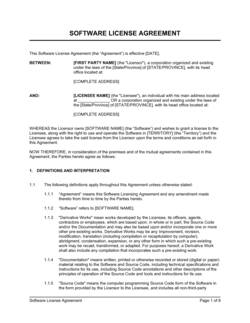
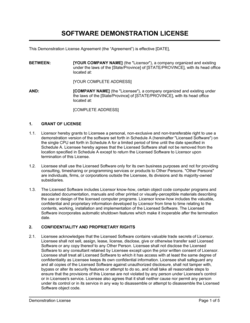
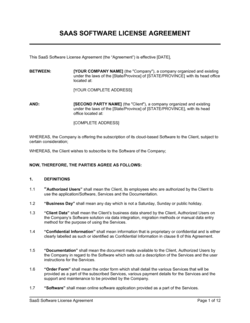
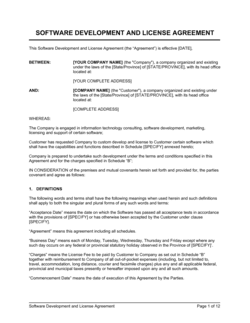
Clickable Software License Notice Template

Free Word download β€’ Edit online β€’ Save & share with Drive β€’ Export to PDF

1 pageβ€’20–25 min to fillβ€’Difficulty: Standard
Learn more ↓
FreeClickable Software License Notice Template

At a glance

What it is
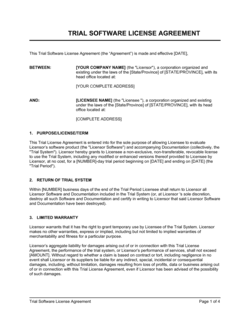
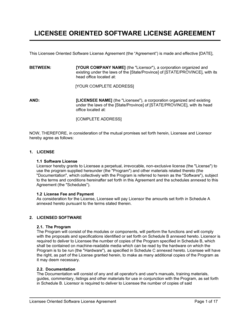
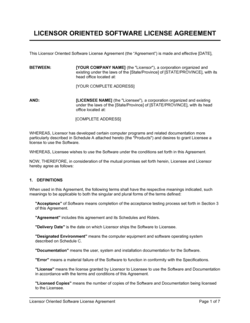
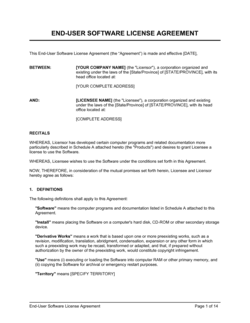
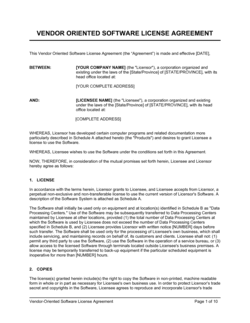
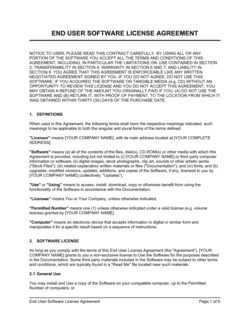
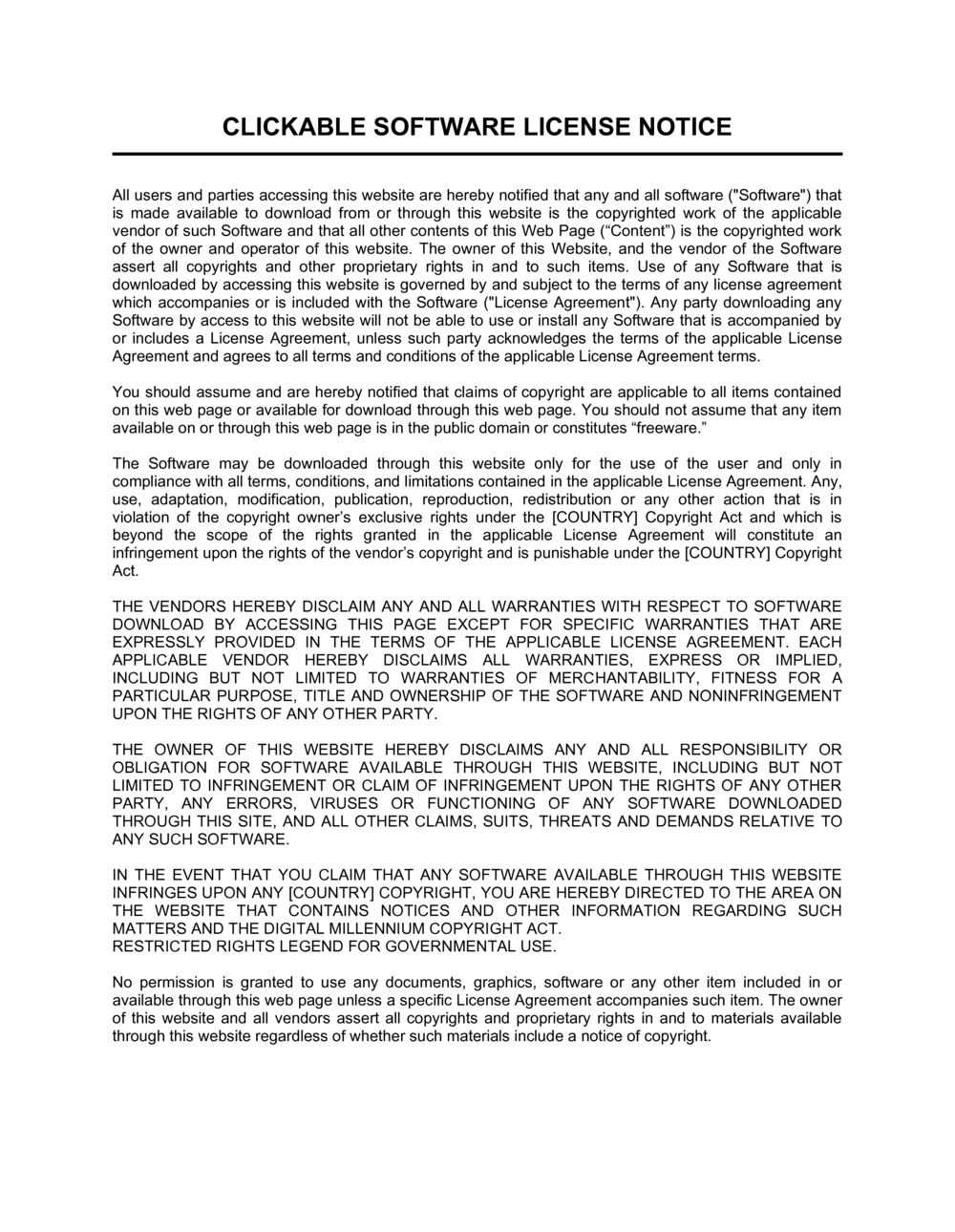
A Clickable Software License Notice is a formal notice displayed to a user before they access or install software, requiring them to actively click "I Agree" or an equivalent button to confirm they have read and accepted the terms of the accompanying license. This free Word download gives you a ready-to-use notice you can edit online and export as PDF or embed in your software installer, web portal, or onboarding flow.
When you need it
Use it any time you distribute or deploy software β€” whether as a desktop installer, a SaaS application, or an internal enterprise tool β€” and need documented user acceptance of your license terms before granting access. It is especially important when your license restricts copying, reverse engineering, sublicensing, or commercial use.
What's inside
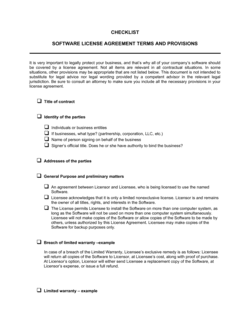
A header identifying the software and licensor, a plain-English summary of the key license terms, a full or linked copy of the license agreement, an explicit acceptance instruction, and a clickable confirmation block. The notice is designed to be short enough for users to read and specific enough to hold up as evidence of acceptance.

What is a Clickable Software License Notice?

A Clickable Software License Notice is a formal notice displayed to a user immediately before they install or access software, presenting the governing license terms and requiring an affirmative click β€” typically an "I Agree" button β€” to proceed. The click creates a click-wrap agreement: a binding contract formed without a handwritten signature, recognized by courts in most major jurisdictions when the terms were reasonably visible and the acceptance action was unambiguous. The notice identifies the software and licensor, summarizes or reproduces the full license terms, and records the exact moment the user consented β€” giving the software owner a documented, auditable record of acceptance for every user and every version.

Why You Need This Document

Distributing software without a clickable license notice means you have no documented evidence that any user agreed to your restrictions β€” no proof they acknowledged your IP ownership, accepted your warranty disclaimer, or consented to the limitations on copying and redistribution. If a user reverse-engineers your product, redistributes it, or exceeds the permitted use scope, your first obstacle in any enforcement action will be proving that they ever saw β€” let alone accepted β€” any terms at all. Browse-wrap notices and PDF attachments in welcome emails do not provide the affirmative acceptance event that gives click-wrap its enforceability advantage. This template gives you a notice structured to satisfy the conspicuousness and affirmative-consent requirements that courts look for, formatted so you can embed it in any installer or web-based onboarding flow within minutes.

Which variant fits your situation?

If your situation is…Use this template
Software installed on a user's local machine via a setup wizardClickable Software License Notice (Installer)
Web-based SaaS app requiring acceptance at account creationTerms of Service Agreement
Enterprise software deployed to many users under a single contractSoftware License Agreement
Open-source project requiring contributor or user license acceptanceOpen Source License Notice
Mobile app requiring in-app terms acceptance before first useMobile App End User License Agreement
Shrink-wrapped physical software with enclosed termsShrink-Wrap License Notice
Plugin or add-on distributed via a third-party marketplacePlugin License Agreement

Common mistakes to avoid

❌ Disclaimer in mixed case instead of ALL CAPS

Why it matters: Many jurisdictions require warranty disclaimers and liability limitations to be 'conspicuous' to be enforceable. A disclaimer in the same font and case as surrounding text may be held unenforceable.

Fix: Format both the warranty disclaimer and the limitation of liability in ALL CAPS or inside a visually distinct box with a bold border.

❌ No acceptance log retained after the click event

Why it matters: If a user later claims they never agreed to the license, you need a timestamped record showing that the acceptance button was clicked for that specific user and version.

Fix: Implement logging that records user identifier (email or account ID), software version, timestamp, and IP address at the moment of acceptance. Retain logs for at least the license term plus two years.

❌ Ambiguous scope of use β€” 'personal use' only, no commercial definition

Why it matters: When a freelancer or small business uses software licensed for 'personal use only,' the ambiguity makes enforcement unpredictable and invites disputes.

Fix: Define 'personal use' explicitly β€” e.g., 'use by a single natural person for non-revenue-generating activities' β€” and offer a separate commercial license for business users.

❌ Placing the accept/decline buttons above the full license text

Why it matters: A user who clicks 'I Agree' before seeing the full text has a plausible argument that acceptance was not informed, weakening enforceability.

Fix: Require the user to scroll to the bottom of the notice before the 'I Agree' button becomes active, or display the full text in a scrollable panel above the buttons.

The 9 key clauses, explained

Header and software identification

In plain language: States the full name and version of the software, the licensor's legal name, and the date the notice takes effect.

Sample language
IMPORTANT β€” PLEASE READ BEFORE INSTALLING OR USING [SOFTWARE NAME] VERSION [X.X] ('Software'). This Software is licensed, not sold, by [LICENSOR LEGAL NAME] ('[LICENSOR SHORT NAME]').

Common mistake: Omitting the software version number. A notice that references only a product name creates ambiguity when terms change across versions.

Acceptance instruction

In plain language: Tells the user exactly what action constitutes acceptance and what it means β€” before they can proceed.

Sample language
By clicking 'I AGREE' below, you confirm that you have read, understood, and agree to be bound by this License Agreement. If you do not agree, click 'I DO NOT AGREE' and do not install or use the Software.

Common mistake: Placing the acceptance instruction after a long block of legal text with no visual break. Users scroll past it without reading, weakening the argument that they gave informed consent.

License grant

In plain language: Describes what the user is permitted to do β€” the number of devices, users, or sites covered, and whether use is personal, commercial, or enterprise.

Sample language
Subject to the terms below, [LICENSOR SHORT NAME] grants you a non-exclusive, non-transferable, limited license to install and use the Software on [ONE / UP TO X] device(s) for [personal / commercial / internal business] use only.

Common mistake: Using only 'personal use' when the target user base includes small businesses. Ambiguity over commercial use rights is one of the most common license disputes.

Restrictions and prohibited uses

In plain language: Lists what the user cannot do with the software β€” reverse engineering, redistribution, sublicensing, or exceeding the permitted use scope.

Sample language
You may not: (a) copy or distribute the Software except as expressly permitted; (b) reverse engineer, decompile, or disassemble the Software; (c) rent, sell, or sublicense the Software to any third party; or (d) use the Software to develop a competing product.

Common mistake: A catch-all 'any other use not expressly permitted is prohibited' without listing the most critical restrictions explicitly. Courts give more weight to specific prohibitions than boilerplate catch-alls.

Intellectual property ownership

In plain language: Confirms that the license grants usage rights only β€” all intellectual property in the software remains with the licensor.

Sample language
The Software and all copies thereof are proprietary to [LICENSOR SHORT NAME] and title thereto remains with [LICENSOR SHORT NAME]. All intellectual property rights β€” including copyrights, patents, trademarks, and trade secrets β€” remain the exclusive property of [LICENSOR SHORT NAME].

Common mistake: Skipping this clause entirely. Without an explicit IP ownership statement, some jurisdictions may imply a transfer of rights beyond what the licensor intended.

Term and termination

In plain language: States when the license begins, how long it lasts, and under what conditions it terminates β€” typically automatically on breach.

Sample language
This License is effective upon your acceptance and continues until terminated. It terminates automatically, without notice, if you fail to comply with any term herein. Upon termination, you must destroy all copies of the Software in your possession.

Common mistake: No post-termination obligation on the user. Without requiring deletion or return of copies, a terminated licensee may continue using the software with no practical consequence.

Disclaimer of warranties

In plain language: States that the software is provided 'as is' with no guarantee of fitness, merchantability, or error-free operation.

Sample language
THE SOFTWARE IS PROVIDED 'AS IS' WITHOUT WARRANTY OF ANY KIND. [LICENSOR SHORT NAME] DISCLAIMS ALL WARRANTIES, EXPRESS OR IMPLIED, INCLUDING IMPLIED WARRANTIES OF MERCHANTABILITY, FITNESS FOR A PARTICULAR PURPOSE, AND NON-INFRINGEMENT.

Common mistake: Writing the disclaimer in mixed case. Courts and standard practice require warranty disclaimers to appear in ALL CAPS or otherwise conspicuous formatting to be enforceable in many jurisdictions.

Limitation of liability

In plain language: Caps the licensor's financial exposure for any damages arising from use of the software β€” typically limited to the amount the user paid.

Sample language
IN NO EVENT SHALL [LICENSOR SHORT NAME] BE LIABLE FOR ANY INDIRECT, INCIDENTAL, SPECIAL, OR CONSEQUENTIAL DAMAGES. [LICENSOR SHORT NAME]'S TOTAL LIABILITY SHALL NOT EXCEED THE AMOUNT PAID BY YOU FOR THE SOFTWARE IN THE [12] MONTHS PRECEDING THE CLAIM.

Common mistake: Omitting a specific dollar cap and relying only on the consequential-damages exclusion. A court that finds the exclusion unenforceable in a given jurisdiction has nothing left to limit exposure.

Governing law and contact information

In plain language: Specifies which jurisdiction's law governs the notice and provides a contact address for license inquiries.

Sample language
This License Agreement is governed by the laws of [STATE / PROVINCE / COUNTRY], without regard to conflict-of-law principles. Questions regarding this License may be directed to: [LICENSOR LEGAL NAME], [ADDRESS], [EMAIL].

Common mistake: Choosing a governing law with no connection to the licensor's actual location or operations. Courts may disregard a jurisdiction clause that appears chosen purely for strategic advantage.

How to fill it out

  1. 1

    Fill in the software name, version, and licensor details

    Replace all [PLACEHOLDERS] in the header with the exact software product name, version number, and your full legal entity name. These identifiers anchor every clause in the notice.

    πŸ’‘ Use the same software name and version string that appears in your installer or application title bar β€” consistency matters for audit trails.

  2. 2

    Define the permitted scope of use

    In the license grant clause, specify the number of devices or users, whether use is personal or commercial, and any site or territory restrictions. Be as precise as your business model requires.

    πŸ’‘ If you offer tiered licenses (personal, professional, enterprise), create a separate notice for each tier rather than cramming all three into one notice.

  3. 3

    Customize the restrictions list

    Review the prohibited-uses clause and add any restrictions specific to your software β€” for example, prohibiting use in safety-critical systems, government applications, or AI training datasets.

    πŸ’‘ Keep the restrictions list scannable: use lettered sub-items (a), (b), (c) rather than paragraph prose so users can locate and acknowledge each restriction.

  4. 4

    Set the term and termination trigger

    Confirm whether the license is perpetual, annual, or tied to a subscription period. Add any automatic renewal language if applicable. Confirm what the user must do on termination β€” typically delete all copies.

    πŸ’‘ For subscription software, reference your billing terms document rather than repeating renewal dates in the notice β€” this avoids conflicting terms when pricing changes.

  5. 5

    Verify the disclaimer and liability cap are in ALL CAPS

    The warranty disclaimer and limitation-of-liability sections must appear in conspicuous formatting β€” typically ALL CAPS β€” to satisfy the 'conspicuous' requirement in many jurisdictions.

    πŸ’‘ If your installer UI renders all text in the same font size, add a bold border or shaded box around these sections to further distinguish them.

  6. 6

    Add governing law and contact details

    Enter the jurisdiction whose law governs the notice, and add a physical address and email address for license inquiries. These are required for the notice to function as a complete legal document.

    πŸ’‘ Choose the jurisdiction where your business is incorporated or primarily operates β€” not the jurisdiction with the most favorable law β€” to minimize the risk of a court ignoring the clause.

  7. 7

    Embed the notice in your installer or application flow

    Place the completed notice on a dedicated screen in your setup wizard or login flow, with the full text visible before the accept/decline buttons appear. Log the acceptance event with a timestamp and user identifier.

    πŸ’‘ Store acceptance logs β€” timestamp, software version, user ID or email, and IP address β€” for at least the duration of the license term plus two years. This record is your primary evidence in a dispute.

Frequently asked questions

What is a clickable software license notice?

A clickable software license notice is a screen or dialog displayed to a user before they install or access software, presenting the license terms and requiring an affirmative click β€” typically 'I Agree' β€” to proceed. The click creates a click-wrap agreement, which courts in most jurisdictions recognize as a binding contract formed without a handwritten signature, provided the terms were reasonably visible before acceptance.

Is a clickable software license notice legally enforceable?

Click-wrap agreements are generally enforceable when the user had a genuine opportunity to read the terms before clicking and the acceptance action was unambiguous. Courts in the US, Canada, and the UK have consistently upheld well-designed click-wrap notices. Enforceability is weakened when the notice is buried, the text is illegible, or there is no log proving the user accepted the specific version of the terms.

What is the difference between a clickable license notice and a browse-wrap agreement?

A click-wrap notice requires an affirmative action β€” clicking a button or checking a box β€” to indicate acceptance. A browse-wrap agreement relies on continued use of a site or product as implied acceptance, often with a notice like 'By using this software, you agree to our terms.' Browse- wrap agreements are significantly harder to enforce because no affirmative acceptance event occurred. Click-wrap is the preferred format for any software with meaningful IP or liability exposure.

Does a clickable license notice replace a full software license agreement?

The notice and the underlying software license agreement work together. The notice is the delivery and acceptance mechanism β€” it presents the terms and captures consent. The license agreement is the substantive contract containing the full terms. The notice either reproduces the full agreement inline or incorporates it by reference with a clearly accessible link. Without the underlying agreement, the notice has nothing meaningful to bind the user to.

What information must appear in the notice before the accept button?

At minimum: the software name and version, the licensor's identity, the scope of permitted use, the key restrictions, a warranty disclaimer, a limitation of liability, and an explicit statement that clicking constitutes acceptance of all terms. The full license text β€” or a link to it β€” must be visible and accessible before the accept button is activated.

Can I use one notice for multiple software products?

It is generally better practice to use a separate notice for each product or major version, since the permitted use, restrictions, and liability terms may differ. A single generic notice across products creates ambiguity about which terms apply to which software, which can complicate enforcement and version-specific audits.

Do I need a clickable notice for internal enterprise software?

Yes, particularly for software deployed to employees or contractors who must acknowledge acceptable-use policies, data-handling obligations, or IP assignment terms. An acceptance record also supports compliance audits and helps define the scope of permitted use if an employee later disputes a policy violation. Many enterprise software vendors also require downstream end-user acceptance as a condition of their own license.

How should I store proof of user acceptance?

Log the user's account identifier or email, the software version accepted, the exact timestamp of the click event, and the user's IP address. Store these records in a database or audit log separate from your main application data so they survive account deletions or software migrations. Retain records for at least the duration of the license term plus two years.

What happens if a user clicks 'I Do Not Agree'?

The software should immediately deny access or abort the installation process without activating any functionality. The user should receive a clear message β€” typically 'Installation has been cancelled. The Software has not been installed.' β€” and, where applicable, instructions for obtaining a refund. Do not allow any software features to activate before a confirmed acceptance event is logged.

How this compares to alternatives

vs Software License Agreement

A software license agreement is the full substantive contract β€” it defines every right, restriction, and obligation in detail and is typically signed by both parties before deployment. A clickable software license notice is the delivery mechanism that presents those terms to end users and captures their acceptance via an affirmative click. You need both: the agreement as the binding document and the notice as the consent-capture tool.

vs Terms of Service Agreement

A terms of service agreement governs the ongoing use of a web-based service or platform, covering account rules, content policies, payment terms, and dispute resolution. A clickable software license notice is narrower β€” it specifically covers the rights and restrictions attached to a piece of software. SaaS products often use both: a ToS for the service relationship and a license notice for the software component.

vs Non-Disclosure Agreement

An NDA protects confidential information shared between two identified parties before or during a business relationship. A clickable license notice protects the software itself by restricting how an end user may use, copy, or distribute it. If your software is shared with a development partner or evaluator before release, you typically need an NDA in addition to the license notice.

vs End User License Agreement (EULA)

A EULA is the full end-user license document containing all terms in detail β€” it is the contract. A clickable software license notice is the formatted presentation of that EULA at the point of installation or first use, designed to obtain and record acceptance. In common usage the terms overlap, but technically the notice is the wrapper and the EULA is the content inside it.

Industry-specific considerations

Software and SaaS

Used at installer launch or first login to capture click-wrap acceptance before any product features are accessible.

Enterprise IT

Deployed via MDM or installer packages to employees, requiring acceptance of acceptable-use and data-handling policies before tool activation.

Digital Media and Creative Tools

Protects fonts, templates, plugins, and downloadable assets under restrictive end-user licenses prohibiting redistribution or resale.

Financial Services

Requires documented acceptance of data-use, liability limitation, and regulatory disclaimer terms before providing access to trading or analytics platforms.

Template vs pro β€” what fits your needs?

PathBest forCostTime
Use the templateIndie developers, small SaaS products, and internal tools where standard license restrictions applyFree15–30 minutes
Template + professional reviewCommercial software with significant IP value, tiered licensing, or enterprise distribution$200–$500 for a legal or IP attorney review1–3 days
Custom draftedEnterprise software platforms, regulated-industry deployments, or multi-jurisdiction distribution requiring jurisdiction-specific license variants$1,000–$3,000+1–2 weeks

Glossary

Click-wrap agreement
A license or contract formed when a user clicks 'I Agree' or equivalent, indicating acceptance of the displayed terms without a handwritten signature.
EULA (End User License Agreement)
A contract between a software licensor and the end user defining the permitted scope of use, restrictions, and the licensor's liability limits.
Licensor
The entity that owns the software and grants permission to use it under defined conditions β€” typically the developer or publisher.
Licensee
The individual or organization that receives the right to use the software under the terms of the license.
Acceptance event
The specific user action β€” clicking a button, checking a box, or typing a confirmation β€” that legally constitutes agreement to the license terms.
Shrink-wrap license
A license whose terms are enclosed inside packaged software; opening the packaging is treated as acceptance, though click-wrap has largely replaced this format.
Browse-wrap agreement
Terms posted on a website where continued use of the site is treated as acceptance, without any affirmative click β€” generally considered less enforceable than click-wrap.
Scope of use
The specific permitted uses defined in a license β€” such as single-user, multi-device, non-commercial, or enterprise-wide β€” that the licensee may not exceed.
Reverse engineering restriction
A common license clause prohibiting the licensee from decompiling, disassembling, or otherwise attempting to derive the software's source code.
License key
An alphanumeric code that activates software and ties a specific installation to a valid license record.

Part of your Business Operating System

This document is one of 3,000+ business & legal templates included in Business in a Box.

  • Fill-in-the-blanks β€” ready in minutes
  • 100% customizable Word document
  • Compatible with all office suites
  • Export to PDF and share electronically

Create your document in 3 simple steps.

From template to signed document β€” all inside one Business Operating System.
1
Download or open template

Access over 3,000+ business and legal templates for any business task, project or initiative.

2
Edit and fill in the blanks with AI

Customize your ready-made business document template and save it in the cloud.

3
Save, Share, Send, Sign

Share your files and folders with your team. Create a space of seamless collaboration.

Save time, save money, and create top-quality documents.

β˜…β˜…β˜…β˜…β˜…

"Fantastic value! I'm not sure how I'd do without it. It's worth its weight in gold and paid back for itself many times."

Managing Director Β· Mall Farm
Robert Whalley
Managing Director, Mall Farm Proprietary Limited
β˜…β˜…β˜…β˜…β˜…

"I have been using Business in a Box for years. It has been the most useful source of templates I have encountered. I recommend it to anyone."

Business Owner Β· 4+ years
Dr Michael John Freestone
Business Owner
β˜…β˜…β˜…β˜…β˜…

"It has been a life saver so many times I have lost count. Business in a Box has saved me so much time and as you know, time is money."

Owner Β· Upstate Web
David G. Moore Jr.
Owner, Upstate Web

Run your business with a system β€” not scattered tools

Stop downloading documents. Start operating with clarity. Business in a Box gives you the Business Operating System used by over 250,000 companies worldwide to structure, run, and grow their business.

Start freeΒ Β·Β No credit card required