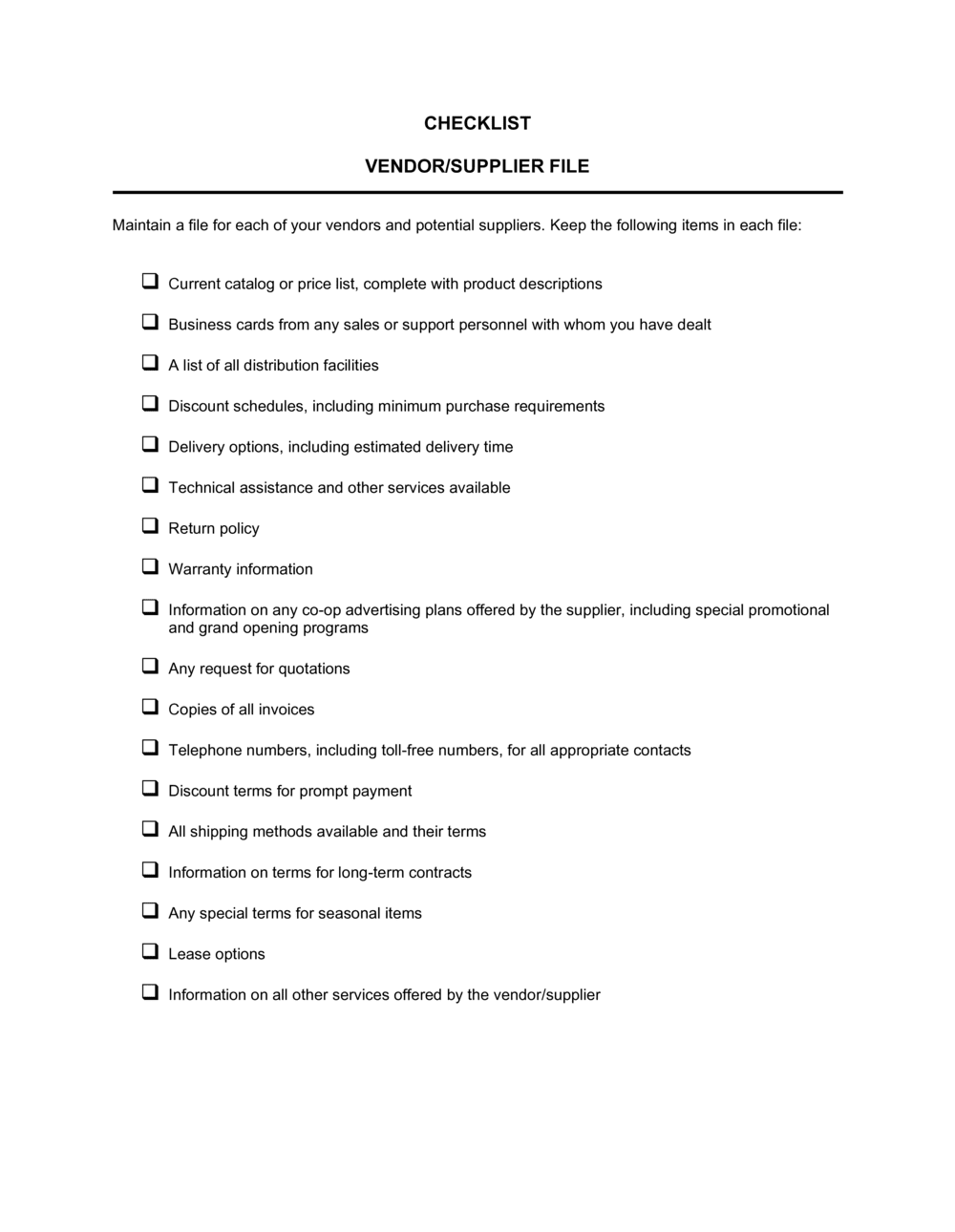
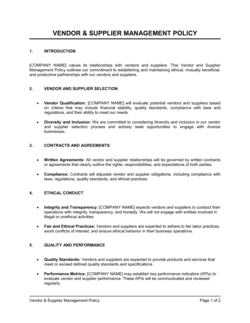
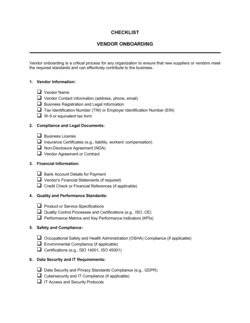
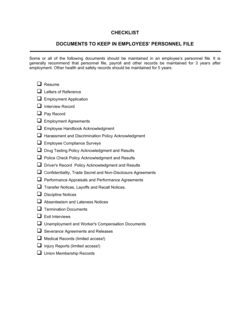
Checklist Vendor and Supplier File

Free download β€’ Use as a template β€’ Print or share

1 pageβ€’15–25 min to useβ€’Difficulty: Standard
Learn more ↓
FreeChecklist Vendor and Supplier File Template

At a glance

What it is
A Vendor and Supplier File Checklist is a structured form used to verify that all required documents, approvals, and data have been collected and filed for each vendor or supplier relationship. This free Word download lets you standardize the onboarding and record-keeping process across every supplier your business works with, then export as PDF for filing or sharing with procurement and finance teams.
When you need it
Use it when onboarding a new vendor or supplier, conducting a periodic vendor file audit, or preparing procurement records for an internal review or external compliance check.
What's inside
Vendor identification fields, contact and banking details, required document checklist items (insurance, tax forms, contracts), approval status fields, and notes for outstanding items or follow-up actions.

What is a Vendor and Supplier File Checklist?

A Vendor and Supplier File Checklist is a structured form that tracks every document, data point, and internal approval required to bring a new supplier into your business's approved vendor pool. It covers vendor identification, tax forms, insurance certificates, banking details, signed agreements, payment terms, and authorization records β€” all in a single, standardized sheet. Rather than leaving each department to collect what they think is necessary, the checklist enforces a consistent onboarding standard across every supplier relationship, regardless of category or spend level.

Why You Need This Document

Without a standard vendor file checklist, onboarding becomes inconsistent: some vendors have signed contracts on file, others operate on a handshake; some have current insurance certificates, others have documents that expired before your last audit. When a payment dispute, insurance claim, or tax filing surfaces, incomplete files delay resolution and expose your business to liability. The checklist also acts as a frontline fraud control β€” by requiring verified banking details and a named approver before any supplier is activated, it closes the gap that business email compromise attacks exploit. This template gives you a repeatable, auditable process you can apply from your first vendor to your five-hundredth.

Which variant fits your situation?

If your situation is…Use this template
Onboarding a new vendor for the first timeVendor and Supplier File Checklist
Requesting product or service pricing from multiple vendorsRequest for Quotation (RFQ)
Formally evaluating vendors against scored criteriaVendor Evaluation Form
Issuing a purchase order to an approved vendorPurchase Order
Tracking all approved vendors and their contract renewal datesVendor List Template
Documenting the agreed terms of a supplier relationshipSupplier Agreement
Collecting required business and tax information from a new vendorVendor Registration Form

Common mistakes to avoid

❌ Approving a vendor before the file is complete

Why it matters: Once purchase orders and payments begin, incomplete fields rarely get filled in. An audit or dispute then surfaces missing insurance, no signed contract, or an unverified tax ID.

Fix: Enforce a hard rule: the vendor status field stays set to 'Pending' until every required checklist item is checked off and the approving manager signs off.

❌ Not tracking COI expiration dates

Why it matters: An expired Certificate of Insurance means the buyer has no evidence of active coverage if the vendor causes property damage, injury, or a third-party claim during the contract period.

Fix: Record the COI expiry date in both the checklist and a shared procurement calendar, and set a 60-day renewal reminder assigned to a named owner.

❌ Accepting banking detail changes by email only

Why it matters: Business email compromise fraud frequently targets vendor payment update requests β€” a single fraudulent ACH change can redirect tens of thousands of dollars to criminal accounts.

Fix: Establish a written policy requiring a verbal confirmation call to the vendor's known main number before any banking details are updated, and document the call in the file notes.

❌ Filing only a trade name, not the legal entity name

Why it matters: When issuing a 1099, resolving a legal dispute, or running a lien search, the legal entity name must match government records β€” a mismatch delays or voids the process.

Fix: Require vendors to provide their legal name as it appears on their EIN confirmation letter or business registration, and cross-check it against the W-9 they submit.

The 9 key fields, explained

Vendor identification

Primary contact details

Tax identification and business type

Banking and payment details

Insurance documentation

Signed supplier agreement

Payment terms and credit limit

Compliance and approval status

Notes and follow-up actions

How to fill it out

  1. 1

    Create a new file for each vendor

    Open a new copy of the checklist for every vendor you onboard. Assign a unique vendor code that matches your accounting or ERP system and record the date the file is opened.

    πŸ’‘ Use a naming convention like VEND-[YEAR]-[SEQUENCE] so files sort chronologically in shared drives.

  2. 2

    Collect and verify vendor identification

    Enter the vendor's full legal name as it appears on their business registration β€” not just the trade name. Confirm the entity type (LLC, corporation, sole proprietor) so you know whether a W-9 and 1099 will be required.

    πŸ’‘ Ask the vendor to provide a copy of their business registration or articles of incorporation to confirm the legal name at onboarding.

  3. 3

    Request and log the W-9 or equivalent tax form

    Send the vendor a W-9 request before issuing any purchase orders. Record the date received and file the original. For international vendors, request a W-8BEN or W-8BEN-E instead.

    πŸ’‘ Set a calendar reminder to re-collect the W-9 any time the vendor's name, address, or entity type changes β€” the IRS requires an updated form when information changes.

  4. 4

    Verify banking details with a confirmation call

    Enter ACH or wire payment details only after a verbal confirmation call to the vendor's known main number β€” never rely solely on emailed banking information. Record the name of the person who confirmed the details.

    πŸ’‘ Document the confirmation call in the notes field with the date, time, and the vendor contact's name to create an audit trail.

  5. 5

    File the Certificate of Insurance and note the expiry date

    Attach the COI to the vendor file and record coverage types, limits, and the expiration date in the checklist fields. Add the expiry date to a shared calendar or procurement tracker.

    πŸ’‘ Set a 60-day advance reminder for COI renewals β€” vendors often need time to request an updated certificate from their insurer.

  6. 6

    Confirm a signed supplier agreement is on file

    Check the contract reference number, effective date, and next review or expiry date. If no agreement is in place, flag the file as pending and escalate to the procurement or legal team.

    πŸ’‘ Never mark a vendor as fully approved until a signed agreement is attached β€” verbal arrangements are the single biggest source of supplier disputes.

  7. 7

    Record payment terms and obtain manager approval

    Enter the agreed payment terms and any credit limit, then route the completed checklist to the approving manager. Record their name, signature (if required by your process), and approval date.

    πŸ’‘ Require a second reviewer for any vendor with a credit limit above a defined threshold β€” segregation of duties reduces payment fraud risk.

  8. 8

    Add the vendor to the approved vendor list

    Once all fields are complete and approval is recorded, update your approved vendor list or ERP system to reflect the vendor as active. File the completed checklist in the vendor's central record.

    πŸ’‘ Store completed checklists in a shared, permission-controlled folder β€” not individual inboxes β€” so any team member can access the file during audits or staff transitions.

Frequently asked questions

What is a vendor and supplier file checklist?

A vendor and supplier file checklist is a structured form that lists every document, data point, and approval required before a new supplier is authorized to receive purchase orders or payments. It ensures consistent onboarding across all vendors and creates an auditable record showing that required items β€” tax forms, insurance certificates, contracts β€” were collected and verified before the relationship began.

Why is a vendor file checklist important?

Without a checklist, vendor files accumulate inconsistently β€” some vendors have signed contracts, others do not; some have current insurance on file, others have certificates that expired two years ago. During an audit, a compliance review, or a payment dispute, incomplete files create liability and delay resolution. A checklist enforces a single standard for every supplier regardless of who handled the onboarding.

What documents should a vendor file include?

At minimum: a completed W-9 (or W-8 for international vendors), a current Certificate of Insurance with required coverage levels noted, a signed supplier agreement or purchase terms acknowledgment, verified banking details for payment, and an approval record showing who authorized the vendor. Regulated industries may also require business licenses, background check confirmations, or proof of certifications.

When should I use this checklist?

Use it every time you onboard a new vendor β€” before issuing the first purchase order. Also use it annually to audit existing vendor files and confirm that insurance, contracts, and banking details are current. Many businesses run a vendor file audit before year-end to catch missing W-9s ahead of 1099 filing deadlines.

How often should vendor files be reviewed?

A full file review is recommended at least once per year and any time a material change occurs β€” new contact, new banking details, contract renewal, or insurance renewal. Certificates of Insurance should be reviewed every time they expire, which for most policies is annually. W-9 forms should be re-collected when the vendor's legal name, address, or entity type changes.

Who is responsible for maintaining vendor files?

Responsibility typically sits with the procurement or purchasing team for document collection and with accounts payable for verifying banking and tax details. An approving manager β€” often the procurement director or CFO, depending on company size β€” should sign off before any vendor is added to the approved vendor list. Assign a named owner for each file to prevent follow-up items from falling through the gaps.

Does a vendor file checklist need to be signed?

The checklist itself does not require a vendor signature β€” it is an internal control document. However, the supplier agreement and W-9 that the checklist tracks do require vendor signatures, and the approval field in the checklist should be signed or initialed by the internal approving manager to create an accountability record.

How is a vendor file checklist different from a vendor evaluation form?

A vendor evaluation form scores a supplier's capabilities, pricing, and reliability to help decide whether to engage them at all. A vendor file checklist confirms that all required documents and data are on file for a vendor you have already decided to use. The evaluation comes before the decision; the checklist governs everything that happens after it.

How this compares to alternatives

vs Vendor Evaluation Form

A vendor evaluation form scores a prospective supplier on capability, pricing, lead time, and reliability to support a sourcing decision. A vendor file checklist is used after the decision β€” it confirms that all onboarding documents and approvals are in place before payments begin. Use the evaluation form to choose a supplier; use the checklist to bring them on.

vs Purchase Order

A purchase order is a commercial document authorizing a specific transaction with an already-approved vendor. The vendor file checklist is a prerequisite β€” it confirms the vendor is approved and all required documentation is on file before any purchase order is issued. Sending a PO to a vendor whose file is incomplete bypasses your own internal controls.

vs Supplier Agreement

A supplier agreement is the binding contract governing the terms of the supply relationship β€” pricing, delivery, warranties, and termination. The vendor file checklist tracks whether that signed agreement exists and is current. The agreement is the substance of the relationship; the checklist is the control that confirms the agreement is on file.

vs Approved Vendor List

An approved vendor list is a high-level register of all authorized suppliers with their status and key renewal dates. The vendor file checklist is the per-vendor detail record that justifies a supplier's presence on that list. The list shows who is approved; the checklist shows why and what documentation supports that approval.

Industry-specific considerations

Construction

Subcontractor license verification, workers' compensation certificates, and lien waiver tracking are added to the standard checklist fields for every trade vendor.

Healthcare

HIPAA Business Associate Agreement (BAA) confirmation and vendor credentialing documentation are required checklist items alongside standard insurance and contract fields.

Retail and E-commerce

Product liability insurance requirements, supplier code-of-conduct acknowledgments, and EDI or API integration setup confirmations are tracked alongside core vendor details.

Manufacturing

ISO or quality certification numbers, raw material safety data sheets (SDS), and supplier audit dates are added to the checklist for direct material vendors.

Template vs pro β€” what fits your needs?

PathBest forCostTime
Use the templateSmall to mid-size businesses standardizing vendor onboarding without a formal procurement systemFree10–15 minutes per vendor
Template + professional reviewBusinesses adding industry-specific fields such as HIPAA BAAs, subcontractor licenses, or quality certifications$0–$200 (operations or compliance advisor check)1–2 hours
Custom draftedEnterprises integrating vendor onboarding into an ERP or P2P platform with automated approval workflows$2,000–$10,000+ (systems configuration and process design)2–8 weeks

Glossary

Vendor Onboarding
The process of collecting, verifying, and filing all information required before a new supplier is approved to receive purchase orders or payments.
W-9 Form
A US IRS form vendors complete to provide their taxpayer identification number, required before a business can issue 1099 payments.
Certificate of Insurance (COI)
A document issued by a vendor's insurer confirming the type and coverage limits of their active insurance policies.
ACH / Banking Details
The vendor's bank account and routing numbers used to process electronic payments via Automated Clearing House transfer.
Approved Vendor List (AVL)
A maintained register of suppliers that have completed onboarding requirements and are authorized to receive purchase orders.
Supplier Agreement
A contract between a buyer and a vendor defining the terms of the supply relationship, including pricing, delivery, warranties, and termination.
Vendor Code
A unique internal identifier assigned to each vendor in a company's accounting or ERP system to track transactions and file records.
Due Diligence
The process of verifying a vendor's legitimacy, financial stability, and compliance before entering or renewing a business relationship.
Net Payment Terms
The agreed number of days after invoice receipt by which the buyer must remit payment β€” commonly Net 30, Net 45, or Net 60.
1099 Reporting
A US tax reporting requirement for businesses that pay unincorporated vendors or contractors $600 or more in a calendar year.

Part of your Business Operating System

This document is one of 3,000+ business & legal templates included in Business in a Box.

  • Fill-in-the-blanks β€” ready in minutes
  • 100% customizable Word document
  • Compatible with all office suites
  • Export to PDF and share electronically

Create your document in 3 simple steps.

From template to signed document β€” all inside one Business Operating System.
1
Download or open template

Access over 3,000+ business and legal templates for any business task, project or initiative.

2
Edit and fill in the blanks with AI

Customize your ready-made business document template and save it in the cloud.

3
Save, Share, Send, Sign

Share your files and folders with your team. Create a space of seamless collaboration.

Save time, save money, and create top-quality documents.

β˜…β˜…β˜…β˜…β˜…

"Fantastic value! I'm not sure how I'd do without it. It's worth its weight in gold and paid back for itself many times."

Managing Director Β· Mall Farm
Robert Whalley
Managing Director, Mall Farm Proprietary Limited
β˜…β˜…β˜…β˜…β˜…

"I have been using Business in a Box for years. It has been the most useful source of templates I have encountered. I recommend it to anyone."

Business Owner Β· 4+ years
Dr Michael John Freestone
Business Owner
β˜…β˜…β˜…β˜…β˜…

"It has been a life saver so many times I have lost count. Business in a Box has saved me so much time and as you know, time is money."

Owner Β· Upstate Web
David G. Moore Jr.
Owner, Upstate Web

Run your business with a system β€” not scattered tools

Stop downloading documents. Start operating with clarity. Business in a Box gives you the Business Operating System used by over 250,000 companies worldwide to structure, run, and grow their business.

Start freeΒ Β·Β No credit card required