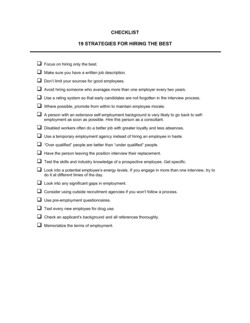
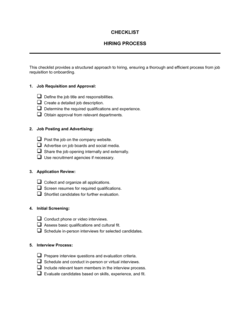
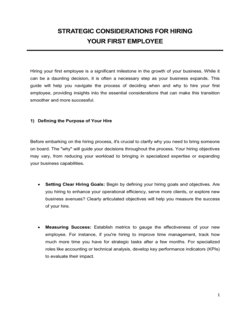
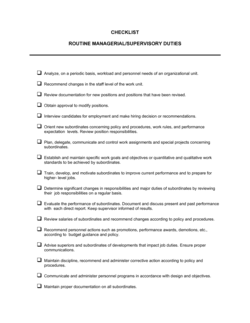
Checklist Hiring Employees

Free download β€’ Use as a template β€’ Print or share

1 pageβ€’20–25 min to useβ€’Difficulty: Standard
Learn more ↓
FreeChecklist Hiring Employees Template

At a glance

What it is
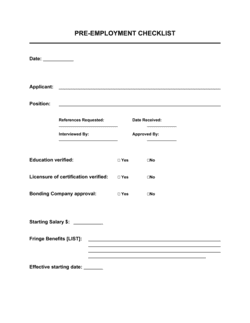
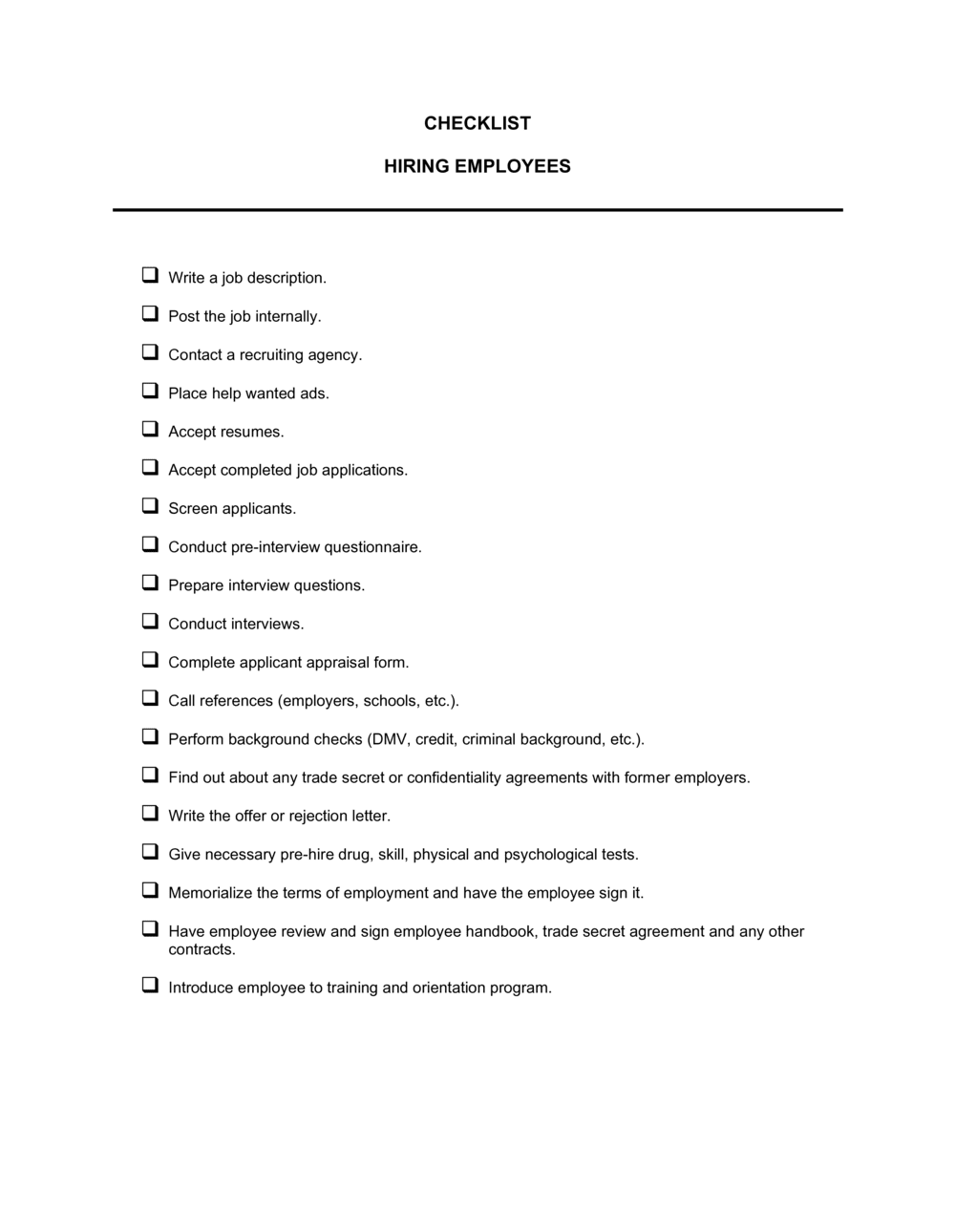
A Checklist Hiring Employees is a structured form that guides hiring managers through every step of the recruitment and onboarding process β€” from writing a job description to completing new-hire paperwork. This free Word download lets you customize each step for your company, assign owners, and track completion dates so no task falls through the cracks.
When you need it
Use it every time you open a new position, whether you are making your first hire or your fiftieth. It is especially valuable when multiple people share hiring responsibilities across HR, department heads, and IT.
What's inside
Pre-recruitment preparation steps, job posting and sourcing tasks, candidate screening and interview stages, offer and background-check actions, and new-hire onboarding items including equipment setup, payroll enrollment, and first-day orientation.

What is a Checklist Hiring Employees?

A Checklist Hiring Employees is a structured form that guides hiring managers and HR teams through every step of the recruitment and onboarding process β€” from opening a job requisition to completing new-hire paperwork on day one. It documents who is responsible for each task, when it must be done, and whether it has been completed, turning an informal series of handoffs into a repeatable, auditable workflow. Because a typical hire touches HR, the department head, IT, finance, and legal, the checklist functions as the single coordination document that keeps every stakeholder aligned and accountable.

Why You Need This Document

Hiring without a checklist is how companies make offers to candidates whose references were never called, send new hires to a workstation with no computer access, and discover missing I-9 forms during a compliance audit two years later. Each missed step carries a real cost: a rescinded offer exposes the company to wrongful-reliance claims; a botched onboarding experience increases the likelihood that a new hire quits within 90 days; an incomplete compliance form can trigger federal penalties. A hiring checklist eliminates these gaps by making every required action explicit, assigned, and tracked before the next step can proceed. This template gives you a ready-to-use framework you can customize in minutes and apply consistently to every role you fill.

Which variant fits your situation?

If your situation is…Use this template
Onboarding a new hire after the offer is acceptedNew Employee Onboarding Checklist
Tracking the full recruitment pipeline across multiple candidatesRecruitment Tracking Spreadsheet
Conducting a structured interview with scored criteriaInterview Evaluation Form
Formalizing the employment relationship before day oneEmployment Contract
Sending a formal offer with compensation detailsJob Offer Letter
Separating an employee after a bad hire is identifiedEmployee Termination Checklist
Defining the role before opening the requisitionJob Description Template

Common mistakes to avoid

❌ Starting interviews without defined screening criteria

Why it matters: Without written criteria, each interviewer evaluates candidates on different dimensions, making it impossible to compare fairly and exposing the company to bias claims.

Fix: Write three to five specific must-have qualifications before reviewing the first application, and apply them consistently to every candidate in the pool.

❌ Notifying IT on the employee's first morning

Why it matters: A new hire who cannot log in on day one loses a full day of productivity and forms an immediate negative impression of the organization.

Fix: Include an IT provisioning task in the checklist with a due date of five business days before the start date, assigned to a specific person.

❌ Conducting reference checks after the offer is signed

Why it matters: A negative reference discovered post-offer puts the employer in a legally awkward position β€” rescinding a signed offer carries wrongful-reliance risk in many jurisdictions.

Fix: Move the reference-check row to before the offer-letter row in the checklist and make clearance a formal prerequisite for issuing the written offer.

❌ Reusing an outdated job description without review

Why it matters: Outdated descriptions attract mismatched applicants, may include non-compliant language, and often omit skills that are now essential to the role.

Fix: Add a mandatory 'job description reviewed and approved' checkbox as the first step before any posting action is taken.

The 10 key fields, explained

Position details and requisition approval

Job description finalized

Posting channels and sourcing

Application review and shortlisting

Interview stages completed

Reference and background checks

Offer letter issued and accepted

Employment paperwork and compliance forms

System access and equipment setup

First-day orientation scheduled

How to fill it out

  1. 1

    Enter the position details and get requisition approval

    Fill in the job title, department, hiring manager, and target start date. Confirm budget and headcount approval before marking this step complete and moving forward.

    πŸ’‘ Save a completed copy of the approval record alongside the checklist β€” it protects you if a hiring freeze is applied retroactively.

  2. 2

    Review and approve the job description

    Pull the existing job description or draft a new one. Check for outdated responsibilities, salary-range accuracy, and any language that could deter protected-class applicants or violate equal-employment guidelines.

    πŸ’‘ A quick free-text scan for 'young', 'energetic', or 'recent graduate' can flag language that may expose the company to age-discrimination claims.

  3. 3

    Log each posting channel and sourcing action

    Record every platform where the role is posted and the date it went live. If you engage a recruiter or agency, document the firm name, fee structure, and exclusivity terms.

    πŸ’‘ Set a 10-day review reminder β€” if applications are below target, add a channel before the candidate pool dries up.

  4. 4

    Define screening criteria before reviewing applications

    Write down the must-have and nice-to-have qualifications before opening a single application. Apply those criteria consistently to every candidate to reduce bias and speed up shortlisting.

    πŸ’‘ Limit must-haves to three to five criteria β€” more than that and you will disqualify otherwise strong candidates on peripheral requirements.

  5. 5

    Track each interview stage and decision

    Log every interview round with the date, interviewers, and outcome. Attach the evaluation form for each stage so the decision trail is documented.

    πŸ’‘ Documenting interview outcomes protects the company if a rejected candidate later files a discrimination complaint.

  6. 6

    Complete reference and background checks before issuing the offer

    Contact at least two professional references and initiate the background check while the candidate is still in the process. Do not extend the written offer until both are satisfactorily complete.

    πŸ’‘ Pre-populate your reference questions so every check covers the same competencies β€” this lets you compare responses across candidates.

  7. 7

    Issue the offer letter and collect signed acceptance

    Send the written offer letter with a clear expiry date (typically 3–5 business days). File the signed acceptance before the candidate is added to payroll or IT is notified.

    πŸ’‘ Send the offer by email with a read-receipt or e-signature request so you have a timestamped record of delivery and acceptance.

  8. 8

    Complete all compliance paperwork and schedule orientation

    Work through every item in the employment-paperwork and system-access rows. Notify IT at least five business days before the start date and send the new hire their first-week schedule at least two days in advance.

    πŸ’‘ Assign each onboarding task a specific owner and due date β€” tasks without owners are never completed on time.

Frequently asked questions

What is a hiring checklist?

A hiring checklist is a structured form that lists every task required to recruit, select, and onboard a new employee β€” from opening a job requisition to completing day-one paperwork. It assigns ownership and tracks completion dates so nothing is missed across the multiple departments involved in a typical hire.

What should be included in an employee hiring checklist?

A complete hiring checklist covers eight stages: requisition approval, job description review, posting and sourcing, application screening, interview rounds and evaluations, reference and background checks, offer letter issuance and acceptance, and onboarding tasks including compliance paperwork, IT setup, and first-day orientation. Missing any stage is where most hiring errors occur.

Why do small businesses need a hiring checklist?

Small businesses without a dedicated HR team are most at risk of skipping compliance steps β€” like Form I-9 completion or background checks β€” that carry real legal and financial penalties. A checklist replaces institutional memory with a documented process that any hiring manager can follow consistently, regardless of how infrequently they hire.

At what point in the hiring process should the checklist be started?

Start the checklist the moment you decide to open a role β€” before writing the job description or posting anything. The earliest steps (requisition approval, job description review) are the ones most commonly skipped when hiring feels urgent, and they are also the ones most likely to cause problems downstream.

How is a hiring checklist different from an onboarding checklist?

A hiring checklist covers the full recruitment-to-offer process, including sourcing, interviewing, and background checks that occur before the candidate accepts. An onboarding checklist picks up after acceptance and focuses exclusively on integrating the new hire β€” paperwork, equipment, training, and introductions. Many organizations maintain both and link them so the handoff is seamless.

Can I use one hiring checklist for every role?

A single master template works well as a base, but roles with additional requirements β€” security clearances, professional license verification, drug testing for safety-sensitive positions, or technical skills assessments β€” need supplemental rows. Keep a standard version and a role-specific addendum rather than maintaining entirely separate checklists for each position type.

How do I assign tasks across HR, IT, and the hiring manager?

Add an 'Owner' column to the checklist next to each task and populate it with a specific role or name β€” not a department. Tasks assigned to a department rather than an individual consistently fall behind because everyone assumes someone else is handling them.

How this compares to alternatives

vs Job Offer Letter

A job offer letter is a single document sent to the selected candidate confirming compensation and start date. A hiring checklist is a process management tool that governs the entire recruitment workflow leading up to β€” and beyond β€” that offer. You need both: the checklist ensures the offer is based on completed due diligence; the offer letter formalizes the decision.

vs Interview Assessment Form

An interview assessment form captures structured evaluations and scores for a single candidate in a single interview stage. A hiring checklist tracks whether interviews have been scheduled, completed, and decided across all stages and all candidates. The assessment form feeds into the checklist as evidence that the interview stage is done.

vs Employment Contract

An employment contract is a binding legal agreement governing the working relationship after hire. A hiring checklist is a pre-hire operational tool that ensures the contract and all other required steps are completed before the employee's first day. The checklist should include contract execution as a mandatory item β€” not a substitute for it.

vs Job Description Template

A job description defines the role being filled. A hiring checklist references the job description as an input but covers the full end-to-end process β€” from writing and approving that description through to first-day orientation. One feeds the other: without a finalized job description, the checklist cannot move past step two.

Industry-specific considerations

Technology / SaaS

Adds technical skills assessment scheduling, GitHub or portfolio review, and security-access provisioning to the standard checklist steps.

Healthcare

Requires additional rows for license and credential verification, immunization records, HIPAA training completion, and background check turnaround time compliance.

Retail / Hospitality

High-volume, time-compressed hiring means the checklist must flag uniform ordering, POS system access, and tip-reporting paperwork as pre-start-date tasks.

Professional Services

Adds professional reference verification against specific certifications (CPA, bar admission, PE license) and conflict-of-interest disclosure as mandatory pre-offer steps.

Template vs pro β€” what fits your needs?

PathBest forCostTime
Use the templateSmall business owners, HR managers, and hiring managers running standard domestic hiresFree15 minutes to customize, 5 minutes per hire to track
Template + professional reviewCompanies adding role-specific compliance steps, high-volume hiring, or multi-location coordination$100–$500 for an HR consultant review1–3 days
Custom draftedEnterprises integrating the checklist into an ATS, HRIS, or automated onboarding workflow$1,000–$5,000+ for HR technology implementation2–6 weeks

Glossary

Job Requisition
A formal internal request to open a new or backfill position, typically requiring budget and headcount approval before posting.
Job Description
A written document outlining the responsibilities, required qualifications, reporting structure, and compensation range for a role.
Applicant Tracking System (ATS)
Software that collects, organizes, and filters job applications so recruiters can manage candidates in a single pipeline.
Background Check
A pre-employment verification of a candidate's criminal history, employment history, education, and sometimes credit record.
Form I-9
A US federal form requiring employers to verify a new hire's identity and authorization to work in the United States.
Offer Letter
A written document sent to a selected candidate confirming the job title, start date, compensation, and key employment terms.
Onboarding
The structured process of integrating a new employee into the organization β€” covering paperwork, system access, training, and culture.
Probationary Period
A defined initial period β€” typically 30 to 90 days β€” during which the employer formally evaluates the new hire's performance.
Reference Check
Pre-hire conversations with a candidate's former managers or colleagues to validate work history and performance claims.
Hiring Freeze
A temporary suspension of new-hire activity, typically triggered by budget constraints or a strategic reorganization.

Part of your Business Operating System

This document is one of 3,000+ business & legal templates included in Business in a Box.

  • Fill-in-the-blanks β€” ready in minutes
  • 100% customizable Word document
  • Compatible with all office suites
  • Export to PDF and share electronically

Create your document in 3 simple steps.

From template to signed document β€” all inside one Business Operating System.
1
Download or open template

Access over 3,000+ business and legal templates for any business task, project or initiative.

2
Edit and fill in the blanks with AI

Customize your ready-made business document template and save it in the cloud.

3
Save, Share, Send, Sign

Share your files and folders with your team. Create a space of seamless collaboration.

Save time, save money, and create top-quality documents.

β˜…β˜…β˜…β˜…β˜…

"Fantastic value! I'm not sure how I'd do without it. It's worth its weight in gold and paid back for itself many times."

Managing Director Β· Mall Farm
Robert Whalley
Managing Director, Mall Farm Proprietary Limited
β˜…β˜…β˜…β˜…β˜…

"I have been using Business in a Box for years. It has been the most useful source of templates I have encountered. I recommend it to anyone."

Business Owner Β· 4+ years
Dr Michael John Freestone
Business Owner
β˜…β˜…β˜…β˜…β˜…

"It has been a life saver so many times I have lost count. Business in a Box has saved me so much time and as you know, time is money."

Owner Β· Upstate Web
David G. Moore Jr.
Owner, Upstate Web

Run your business with a system β€” not scattered tools

Stop downloading documents. Start operating with clarity. Business in a Box gives you the Business Operating System used by over 250,000 companies worldwide to structure, run, and grow their business.

Start freeΒ Β·Β No credit card required