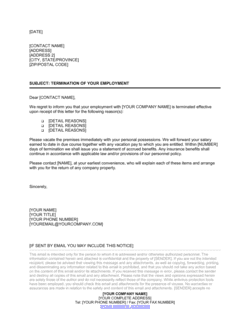
Announcement of a Retirement Template

Free Word download β€’ Edit online β€’ Save & share with Drive β€’ Export to PDF

1 pageβ€’15–25 min to fillβ€’Difficulty: Standard
Learn more ↓
FreeAnnouncement of a Retirement Template

At a glance

What it is
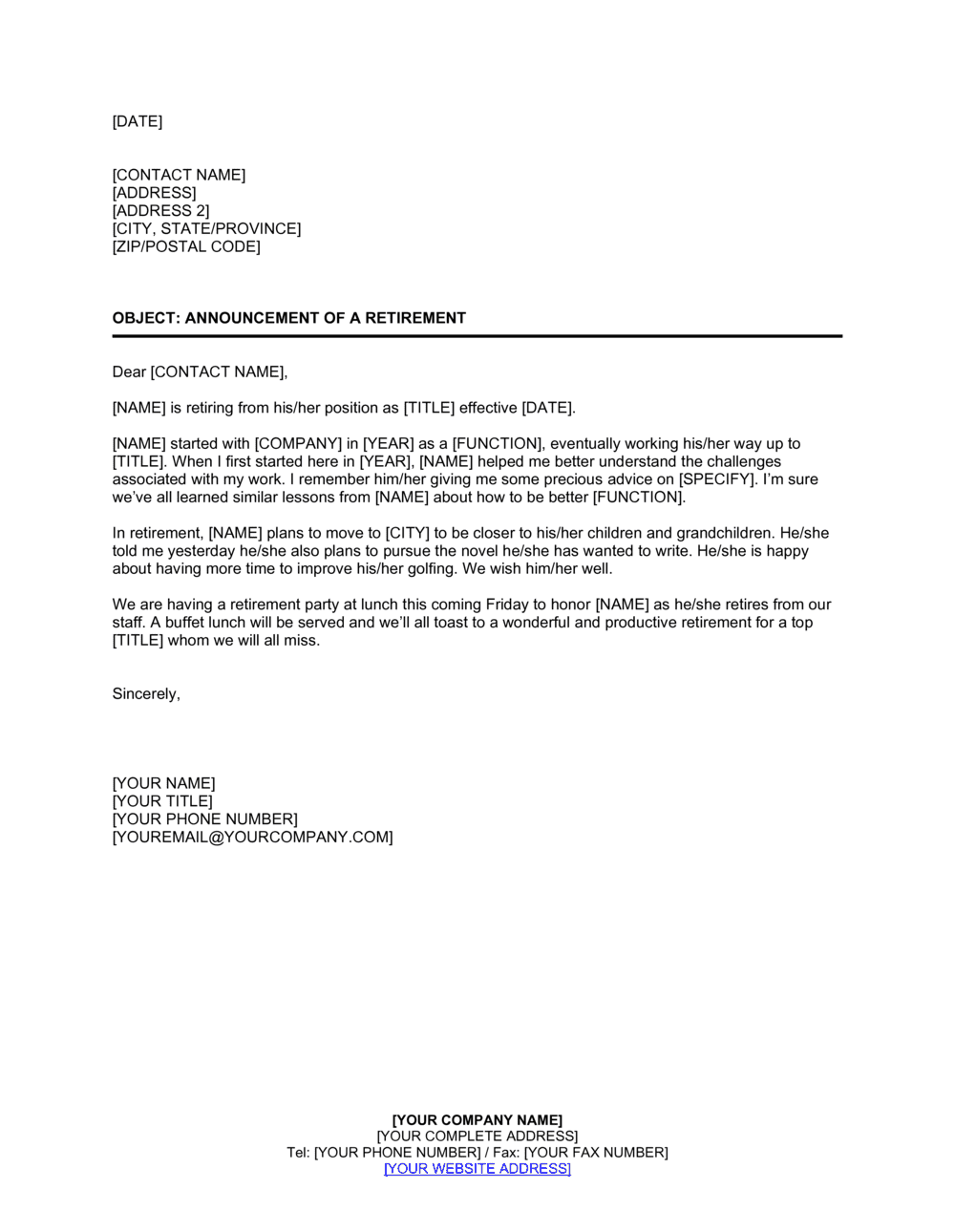
An Announcement of a Retirement is a formal business letter used to inform colleagues, clients, and external partners that an employee is retiring from their position. This free Word download provides a ready-to-edit template you can personalize with the retiree's name, role, last day, and transition details, then send by email or print and distribute in minutes.
When you need it
Use it when a staff member, executive, or long-tenured employee is approaching their retirement date and you need to formally communicate the news to internal teams, clients, or business partners. It is also appropriate when a retiring employee wants to send a personal farewell announcement on their own behalf.
What's inside
A professional opening that names the retiree and their role, a summary of their tenure and contributions, the official last day of employment, details on the transition plan and successor or interim contact, and a warm closing that invites recipients to congratulate the retiree or reach out with questions.

What is an Announcement of a Retirement?

An Announcement of a Retirement is a formal business letter issued by a company β€” or by a retiring employee β€” to notify colleagues, clients, and external partners that a staff member is concluding their career with the organization. It records the retiree's name and role, confirms their last day of employment, summarizes their tenure and contributions, and introduces the person or process that will handle their responsibilities going forward. Unlike a resignation letter, which is an internal HR document addressed to the employer, a retirement announcement is an outward-facing communication designed to inform and reassure the people who rely on the retiring individual.

Why You Need This Document

Failing to formally announce a retirement creates immediate, practical problems: clients discover their main contact is gone only when an email bounces or a call goes unanswered; colleagues are left guessing about coverage; and the retiree's years of relationship-building leave the organization without a managed handoff. A well-timed retirement announcement letter eliminates all three risks. It gives clients a named successor before they need one, signals to staff that the transition is planned and supported, and honors the retiree's contributions in a way that reflects positively on the organization. For client-facing roles in professional services, healthcare, or financial services, a clear and timely retirement announcement is not a courtesy β€” it is a business continuity measure. This template gives you a professional, ready-to-customize structure that takes minutes to complete and communicates exactly what every recipient needs to know.

Which variant fits your situation?

If your situation is…Use this template
Company announcing a staff member's retirement to all employeesAnnouncement of a Retirement (Internal)
Retiring employee writing a personal farewell to clientsRetirement Farewell Letter
Announcing a C-suite executive's retirement to shareholders and pressExecutive Retirement Press Release
Notifying clients of a new point of contact after a retirementChange of Contact Letter
Employee formally requesting retirement from their employerRetirement Resignation Letter
Recognizing a retiree's service at a farewell eventRetirement Recognition Speech
Introducing the successor or replacement to existing clientsNew Employee Introduction Letter

Common mistakes to avoid

❌ Announcing too close to the last day

Why it matters: Clients and colleagues need time to prepare for the transition. An announcement sent one or two days before the retirement creates confusion, missed handoffs, and gaps in service continuity.

Fix: Aim to send the announcement at least two to four weeks before the retiree's last day. For senior roles or client-facing positions, six weeks is a better target.

❌ Omitting successor or interim contact details

Why it matters: Without a named point of contact, clients and partners will call the general company line or simply stop reaching out. Either outcome disrupts business relationships built over years.

Fix: Always include the full name, email, and phone number of the successor or interim contact in the transition paragraph before distributing the letter.

❌ Using vague or generic contributions language

Why it matters: Phrases like 'a valued contributor' or 'a great team player' communicate nothing specific and can feel dismissive of a long career. Recipients β€” including the retiree β€” notice the difference.

Fix: Include at least one quantified or project-specific achievement: years of service, a named initiative they led, or a measurable outcome they delivered.

❌ Sending a single letter to both internal and external audiences

Why it matters: Internal staff need operational details β€” coverage plans, system handovers, last-day logistics β€” that are irrelevant and potentially inappropriate for clients and external partners.

Fix: Draft two versions: one for internal distribution covering transition logistics, and one for clients and external contacts that focuses on continuity and successor introduction.

The 9 key clauses, explained

Letterhead and date

In plain language: The company name, address, and the date the letter is issued, appearing at the top of the document.

Sample language
[COMPANY NAME] | [STREET ADDRESS], [CITY, STATE, ZIP] | [DATE]

Common mistake: Using an informal date format like '5/2/26' instead of 'May 2, 2026.' An ambiguous date format reduces the letter's professional credibility, especially when sent to international recipients.

Salutation and recipient line

In plain language: Addresses the intended audience β€” all staff, a specific client list, or external partners β€” with an appropriate greeting.

Sample language
Dear [Team / Valued Clients / Partners and Colleagues],

Common mistake: Using 'To Whom It May Concern' for an internal announcement. A more specific salutation β€” 'Dear Team' or 'Dear [DEPARTMENT] Staff' β€” signals that the communication is intentional and considered.

Opening announcement

In plain language: States clearly in the first sentence that the named employee is retiring, their current role, and their effective last day.

Sample language
It is with great appreciation that we announce the retirement of [EMPLOYEE FULL NAME], [JOB TITLE], effective [LAST DAY DATE].

Common mistake: Burying the retirement news in the second or third paragraph. Recipients scan the opening sentence to understand the purpose; leading with pleasantries delays the key information.

Tenure and contributions summary

In plain language: Highlights the length of service, key accomplishments, and the impact the retiree has had on the organization or its clients.

Sample language
During [his/her/their] [X] years with [COMPANY NAME], [EMPLOYEE FIRST NAME] has [SPECIFIC ACHIEVEMENT OR CONTRIBUTION], [SECOND ACHIEVEMENT], and has been instrumental in [IMPACT AREA].

Common mistake: Using generic praise like 'a valued member of our team' without specifics. Concrete achievements β€” projects completed, teams built, milestones reached β€” make the announcement meaningful and reflect well on the organization.

Retirement effective date and last working day

In plain language: Confirms the official retirement date and, if different, the last day the employee will be physically present or reachable.

Sample language
[EMPLOYEE FIRST NAME]'s last day in the office will be [DATE]. [His/Her/Their] retirement is officially effective [EFFECTIVE DATE].

Common mistake: Omitting the last working day when it differs from the effective retirement date. This creates confusion about when colleagues and clients should redirect communications.

Transition and successor details

In plain language: Names the successor or interim contact, their role, and how recipients should reach them going forward.

Sample language
Effective [DATE], [SUCCESSOR NAME] will assume responsibility for [EMPLOYEE FIRST NAME]'s portfolio. [SUCCESSOR NAME] can be reached at [EMAIL] or [PHONE NUMBER] and looks forward to continuing the work with you.

Common mistake: Leaving out successor contact details entirely. Recipients β€” especially clients and vendors β€” need an immediate answer to 'who do I call now?' Omitting this information forces unnecessary follow-up calls.

Farewell event or recognition details (optional)

In plain language: Provides details of any in-person or virtual farewell gathering, including date, time, location, and RSVP instructions if applicable.

Sample language
Please join us in celebrating [EMPLOYEE FIRST NAME]'s retirement at a farewell reception on [DATE] at [TIME], held in [LOCATION / via VIDEO LINK]. Kindly RSVP to [CONTACT] by [RSVP DATE].

Common mistake: Including event details in the same paragraph as the transition information. Mixing logistics with successor details creates a confusing read β€” keep event details in their own clearly labeled paragraph.

Gratitude and warm close

In plain language: Expresses sincere appreciation on behalf of the organization and wishes the retiree well in their next chapter.

Sample language
On behalf of everyone at [COMPANY NAME], we thank [EMPLOYEE FIRST NAME] for [his/her/their] dedication and wish [him/her/them] a fulfilling and well-deserved retirement.

Common mistake: Closing with boilerplate language copied from an unrelated letter type. A retirement announcement close should be warm and personalized β€” generic corporate sign-offs undermine the tone of recognition the letter is meant to convey.

Sender signature block

In plain language: The name, title, and contact information of the person signing the letter β€” typically a direct manager, HR lead, or executive.

Sample language
Sincerely, [SENDER FULL NAME] [TITLE] [COMPANY NAME] [EMAIL] | [PHONE]

Common mistake: Signing with only a first name or a department name rather than a full name and title. Recipients β€” especially external ones β€” need to know who authorized the communication and who to contact with questions.

How to fill it out

  1. 1

    Add your company letterhead and the date

    Insert your company name, address, and the date the announcement is being issued at the top of the template. Use the full written date format β€” e.g., May 2, 2026.

    πŸ’‘ If your organization has a standard letterhead in Word, paste it into the template header so the font and logo remain consistent with other official communications.

  2. 2

    Choose the correct salutation for your audience

    Address internal announcements to 'Dear Team' or a specific department. For client-facing letters, use 'Dear Valued Clients' or address individual recipients by name if the list is small.

    πŸ’‘ Send separate versions for internal staff and external clients rather than one combined letter β€” the tone and level of operational detail differ significantly between the two audiences.

  3. 3

    State the retirement clearly in the opening line

    Name the retiree, their job title, and their last day in the very first sentence. Do not open with pleasantries β€” the announcement itself is the news.

    πŸ’‘ If the retiree prefers a specific way to be referenced (preferred name, pronouns), confirm this with HR or the retiree directly before sending.

  4. 4

    Write the tenure and contributions paragraph

    Include the number of years served and two or three specific, concrete achievements or contributions. Pull from performance reviews, project records, or a conversation with the retiree.

    πŸ’‘ Ask the retiree which accomplishments they are most proud of β€” it ensures accuracy and makes the recognition feel genuine rather than formulaic.

  5. 5

    Confirm the effective date and last working day

    Enter both dates if they differ. State clearly on which date recipients should redirect communications and which date the retirement officially takes effect for HR and payroll purposes.

    πŸ’‘ Coordinate with payroll and HR before publishing the announcement to confirm the exact dates are finalized and match internal records.

  6. 6

    Name the successor or interim contact

    Provide the full name, title, email address, and phone number of the person taking over. If no permanent successor is named yet, designate an interim contact and state when a permanent appointment will be announced.

    πŸ’‘ Brief the successor before the announcement goes out β€” being publicly named without advance notice can create an awkward first interaction with clients.

  7. 7

    Add farewell event details if applicable

    If a retirement reception is planned, include date, time, location or video link, and RSVP instructions in a dedicated paragraph. Keep it brief and logistically clear.

    πŸ’‘ Include the RSVP deadline at least two weeks before the event for in-person gatherings to allow catering and venue headcount planning.

  8. 8

    Review, sign, and distribute

    Proofread for spelling of the retiree's name, accurate dates, and correct successor contact details. Have the signing executive approve the final draft before distributing by email or printed memo.

    πŸ’‘ Send the announcement at least two to four weeks before the last working day β€” too close to the departure date leaves clients and colleagues without enough time to prepare for the transition.

Frequently asked questions

What is a retirement announcement letter?

A retirement announcement letter is a formal written communication issued by a company β€” or by the retiring employee themselves β€” to notify colleagues, clients, and business partners that an employee is leaving due to retirement. It typically names the retiree, confirms their last day, summarizes their contributions, and introduces the person who will take over their responsibilities.

Who should send the retirement announcement β€” the company or the employee?

In most cases, both parties send an announcement. The company issues an internal notice to staff and a client-facing version to external contacts, both signed by a manager, HR lead, or senior executive. The retiring employee may separately send a personal farewell note to close professional contacts. The two communications serve different purposes and should not be combined into one letter.

How far in advance should a retirement announcement be sent?

At minimum, two to four weeks before the retiree's last day. For senior leaders, client-facing roles, or long-tenured employees with deep external relationships, four to six weeks is more appropriate. Earlier notice gives clients and colleagues time to adjust workflows, update contacts, and complete any time-sensitive handoffs before the departure.

Does a retirement announcement letter need to be signed?

No formal signature is required for the letter to be valid, but it should include a typed signature block β€” full name, title, and contact information β€” of the person issuing the announcement. This tells recipients who authorized the communication and who to contact with questions. Email distribution does not require a wet signature.

What is the difference between a retirement announcement and a resignation letter?

A resignation letter is written by the departing employee to formally notify their employer that they are leaving, for any reason. A retirement announcement is typically written by the employer (or the retiree) to notify third parties β€” staff, clients, partners β€” of the departure specifically due to retirement. The resignation letter is an internal HR document; the retirement announcement is an outward-facing communication.

Should the retirement announcement include salary or benefits information?

No. Compensation, pension, or benefits details are confidential HR matters and have no place in a retirement announcement letter. The announcement should focus on the retiree's role, contributions, last day, and successor contact. Including financial details would be a privacy violation and inappropriate for a broadly distributed communication.

Can this template be used for an executive or CEO retirement?

Yes, with additional customization. Executive and CEO retirements typically warrant a more detailed announcement β€” a longer contributions summary, a statement from the board or incoming leadership, and sometimes a simultaneous press release for publicly traded companies. The core structure of this template remains the same; the level of detail and distribution list expand significantly for senior departures.

What tone should a retirement announcement letter use?

Warm, professional, and celebratory β€” the letter marks a significant personal milestone as much as an organizational change. Avoid overly corporate or bureaucratic language, but also avoid informal phrases that undermine the professional register. The goal is to honor the retiree's career while giving recipients the practical information they need to manage the transition smoothly.

Should the retiree review and approve the announcement before it is sent?

Yes, as a best practice. Having the retiree review the draft ensures that their name, pronoun preferences, and listed achievements are accurate and reflect how they want to be remembered professionally. It also avoids the awkward situation of a retiree seeing an announcement about themselves that contains errors or omissions before their colleagues do.

How this compares to alternatives

vs Resignation Letter

A resignation letter is written by the departing employee to formally notify their employer they are leaving. A retirement announcement is issued outward β€” to staff, clients, and partners β€” to inform them of the departure. The resignation letter is an internal HR record; the retirement announcement is a stakeholder communication. Both may be needed, but they serve entirely different purposes.

vs Employee Termination Letter

A termination letter ends employment involuntarily and is addressed to the departing employee. A retirement announcement celebrates a voluntary departure and is addressed to colleagues, clients, and partners. The tone, audience, and content are fundamentally different β€” using one in place of the other would be both inappropriate and professionally damaging.

vs New Employee Announcement

A new employee announcement introduces a recently hired team member to colleagues and clients. A retirement announcement marks a departure. The two are often paired β€” a retirement announcement introducing the successor effectively doubles as a soft new employee introduction for the incoming person, but a formal new hire announcement should follow separately with more detail on the successor's background.

vs Business Closure Letter

A business closure letter notifies clients and partners that the entire organization is ceasing operations. A retirement announcement communicates that one individual is departing while the business continues. Both require clear communication about who clients should contact going forward, but the scope, stakes, and tone differ considerably.

Industry-specific considerations

Professional Services

Client relationships are often tied to specific individuals, making the successor introduction and transition timeline the most critical elements of the announcement.

Healthcare

Patient-facing announcements must include a clear handoff to a named clinician or practice contact to avoid care continuity concerns and regulatory notification obligations.

Financial Services

Retirement announcements for advisors or relationship managers must introduce the successor immediately, as regulatory and compliance obligations transfer with the client portfolio.

Manufacturing

Long-tenured plant managers or operations leads often carry critical institutional knowledge β€” the announcement should signal that a formal knowledge-transfer process is already underway.

Template vs pro β€” what fits your needs?

PathBest forCostTime
Use the templateAny business or individual announcing a standard staff or management retirementFree15–30 minutes
Template + professional reviewExecutive or C-suite retirements where messaging will be reviewed by a board, media, or major clients$100–$300 (communications or PR consultant review)1–2 days
Custom draftedPublicly traded companies, regulated industries, or retirement announcements issued alongside a press release or investor communication$500–$2,000 (corporate communications or PR agency)3–7 days

Glossary

Last Day of Employment
The final calendar date on which the retiree is actively employed, after which their benefits and payroll obligations end.
Transition Plan
A documented handover process outlining how the retiree's responsibilities, files, and client relationships will be transferred to a successor or interim contact.
Successor
The person who will formally take over the retiring employee's role, title, or key accounts after their departure.
Interim Contact
A temporary point of contact designated to handle the retiree's responsibilities until a permanent successor is appointed.
Tenure
The total length of time an employee has worked for the organization, typically expressed in years.
Farewell Reception
An optional in-person or virtual gathering organized to celebrate the retiree's contributions and mark the end of their career.
Knowledge Transfer
The deliberate process of documenting and communicating the retiree's institutional knowledge, processes, and relationships to colleagues before their last day.
Effective Date
The specific date on which the retirement officially takes effect, often the same as or one day after the last day of employment.
Announcement Memo
An internal communication format β€” typically shorter and less formal than a letter β€” used to notify employees of organizational changes including retirements.
RSVP Deadline
In the context of a retirement announcement that includes a farewell event, the date by which recipients are asked to confirm their attendance.

Part of your Business Operating System

This document is one of 3,000+ business & legal templates included in Business in a Box.

  • Fill-in-the-blanks β€” ready in minutes
  • 100% customizable Word document
  • Compatible with all office suites
  • Export to PDF and share electronically

Create your document in 3 simple steps.

From template to signed document β€” all inside one Business Operating System.
1
Download or open template

Access over 3,000+ business and legal templates for any business task, project or initiative.

2
Edit and fill in the blanks with AI

Customize your ready-made business document template and save it in the cloud.

3
Save, Share, Send, Sign

Share your files and folders with your team. Create a space of seamless collaboration.

Save time, save money, and create top-quality documents.

β˜…β˜…β˜…β˜…β˜…

"Fantastic value! I'm not sure how I'd do without it. It's worth its weight in gold and paid back for itself many times."

Managing Director Β· Mall Farm
Robert Whalley
Managing Director, Mall Farm Proprietary Limited
β˜…β˜…β˜…β˜…β˜…

"I have been using Business in a Box for years. It has been the most useful source of templates I have encountered. I recommend it to anyone."

Business Owner Β· 4+ years
Dr Michael John Freestone
Business Owner
β˜…β˜…β˜…β˜…β˜…

"It has been a life saver so many times I have lost count. Business in a Box has saved me so much time and as you know, time is money."

Owner Β· Upstate Web
David G. Moore Jr.
Owner, Upstate Web

Run your business with a system β€” not scattered tools

Stop downloading documents. Start operating with clarity. Business in a Box gives you the Business Operating System used by over 250,000 companies worldwide to structure, run, and grow their business.

Start freeΒ Β·Β No credit card required