Mastering Time Management For Business Professionals Template

Free to read β€’ Save or share with one click

FreeMastering Time Management For Business Professionals Template

At a glance

What it is
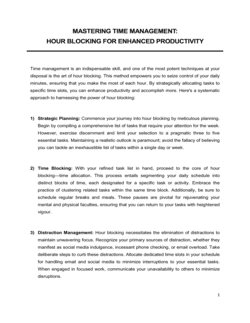
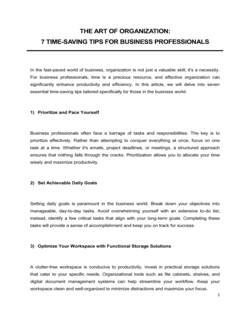
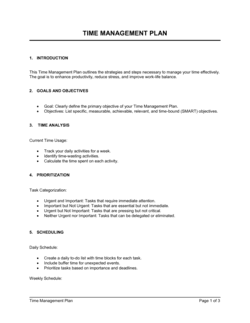
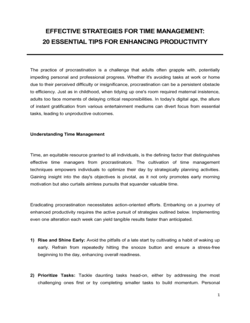
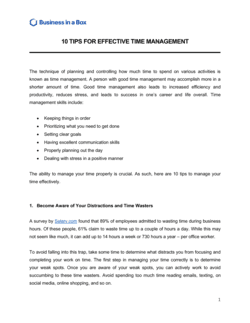
Mastering Time Management for Business Professionals is a structured operational guide that helps managers and individual contributors audit how they currently spend their time, apply proven prioritization frameworks, build a sustainable scheduling system, and measure productivity gains over time. This free Word download gives you a ready-to-edit template you can customize to your role, team size, and organizational context, then export as PDF to share with colleagues or use as a coaching tool.
When you need it
Use it when a professional or team is consistently missing deadlines, working excessive hours without proportional output, struggling to distinguish urgent from important tasks, or preparing for a performance improvement conversation that touches on productivity. It is also effective at onboarding high-output individual contributors who need a documented system from day one.
What's inside
A time audit framework, the Eisenhower prioritization matrix, daily and weekly scheduling templates, a delegation decision guide, meeting audit checklist, distraction and interruption log, goal-to-task alignment section, and a personal productivity metrics tracker.

What is Mastering Time Management for Business Professionals?

Mastering Time Management for Business Professionals is a structured operational guide that takes a manager or individual contributor through every layer of a functional personal productivity system β€” from a two-week time audit that establishes a factual baseline, through prioritization and scheduling frameworks, to a weekly scorecard that measures whether the system is producing real output gains. Unlike a generic productivity checklist, this template connects every technique to specific work outputs, organizational goals, and measurable results, making it a practical tool rather than a motivational exercise. It is delivered as a free Word download you can edit to match your role and organizational context, then export as PDF to share with a team or use in a coaching conversation.

Why You Need This Document

Professionals who operate without a documented time management system consistently overestimate how much time they spend on high-value work β€” research on self-reported time use shows gaps of 20–40% between perceived and actual allocation. The operational cost is concrete: deadlines missed, deep work crowded out by reactive tasks, and meetings that consume more collective hours than they return in decisions. Without a structured audit and prioritization framework, the default workday is assembled by whoever sends the most urgent email rather than by the professional's own strategic judgment. This template provides the structure to close that gap β€” giving individuals a replicable weekly system, managers a coaching framework for direct reports, and HR teams a ready-to-deploy productivity module β€” all from a single document that takes under 20 minutes to begin using.

Which variant fits your situation?

If your situation is…Use this template
Conducting a structured audit of how you currently spend your hoursTime Audit Worksheet
Planning and tracking tasks across a single business weekWeekly Planner Template
Setting and tracking 90-day professional performance goalsIndividual Development Plan
Assigning and tracking delegated tasks across a teamTask Delegation Log
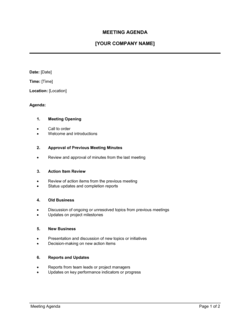
Evaluating meeting effectiveness and reducing calendar bloatMeeting Agenda Template
Documenting repeatable workflows to eliminate decision fatigueStandard Operating Procedure (SOP)
Aligning daily tasks to quarterly OKRs or strategic prioritiesAction Plan Template

Common mistakes to avoid

❌ Skipping the time audit and jumping to solutions

Why it matters: Without a factual baseline, prioritization changes are based on perception rather than data β€” professionals consistently misjudge where their time actually goes by 20–40%.

Fix: Complete the two-week time audit in Section 1 before changing any habit or schedule. The data will surface the correct interventions automatically.

❌ Building a schedule with zero buffer time

Why it matters: A fully booked calendar has no capacity for the unplanned meeting, urgent request, or task overrun that appears in virtually every real workday, causing the entire schedule to collapse by mid-morning.

Fix: Reserve a minimum of 60–90 minutes of unscheduled buffer per day. Treat it as a strategic reserve, not free time to fill with new meetings.

❌ Delegating without documenting expected output

Why it matters: Tasks handed off without a clear definition of 'done,' a deadline, and decision authority return for rework β€” costing more time than doing the task yourself.

Fix: Write a one-paragraph handoff brief for every delegated task covering the expected deliverable, deadline, quality standard, and the point at which the delegatee should escalate.

❌ Measuring activity volume instead of output quality

Why it matters: Tracking emails sent, meetings attended, and hours worked creates a busyness metric that has no correlation with goal achievement or business impact.

Fix: Replace volume metrics with output metrics: tasks completed versus planned, goals advanced this week, and revenue or project milestones hit. Review these weekly in the Section 8 scorecard.

The 8 key sections, explained

Time Audit Framework

Prioritization Framework (Eisenhower Matrix)

Goal-to-Task Alignment

Daily and Weekly Scheduling System

Delegation Decision Guide

Meeting Audit Checklist

Distraction and Interruption Log

Productivity Metrics Tracker

How to fill it out

  1. 1

    Run a two-week time audit before editing anything else

    Track every work activity in 30-minute increments for two full weeks using the audit framework in Section 1. Categorize each block as strategic, operational, administrative, meeting, or reactive.

    πŸ’‘ Use a simple spreadsheet or a time-tracking app like Toggl running in parallel β€” the goal is a factual baseline, not a perfect system.

  2. 2

    Score your current task list against the Eisenhower Matrix

    Pull every recurring task and pending item from your to-do list and place each in one of the four quadrants. This single exercise typically surfaces 10–20% of tasks that can be delegated or eliminated immediately.

    πŸ’‘ Do this with a colleague or manager for your first pass β€” tasks you believe are Quadrant I are often Quadrant III when viewed from outside your own context.

  3. 3

    Map each recurring task to a specific goal

    Complete the goal-to-task alignment table in Section 3. For any task you cannot link to a stated goal, mark it for elimination review before committing to keeping it on your schedule.

    πŸ’‘ If more than 30% of your recurring tasks cannot be linked to a current goal, your task list has accumulated legacy work that belongs in the elimination column.

  4. 4

    Design your ideal weekly schedule using time blocks

    Fill in the scheduling template in Section 4 with specific blocks for deep work, meeting windows, and administrative batches. Build in at least 90 minutes of buffer per day for unplanned demands.

    πŸ’‘ Anchor your deep work block to the time of day when your concentration is highest β€” for most people, that is the first 2–3 hours of the workday before the inbox takes over.

  5. 5

    Complete the delegation decision guide for your task list

    Go through Section 5 for every task consuming more than 1 hour per week. Identify a specific delegatee or automation tool for anything that meets the delegation criteria, and document the expected output and deadline.

    πŸ’‘ Write a one-paragraph handoff note for every delegated task the first time β€” this forces clarity on what 'done' looks like and cuts revision cycles.

  6. 6

    Audit your recurring meetings and cancel or shorten at least two

    Complete the meeting audit checklist in Section 6 for every standing meeting on your calendar. Apply a default: if a meeting has no agenda or produces no decision, propose converting it to an async update.

    πŸ’‘ A 30-minute meeting with five attendees costs 2.5 hours of collective productivity β€” calculate the true cost per meeting to make the business case for reduction.

  7. 7

    Track interruptions for 10 business days and identify the top three sources

    Log every unplanned interruption in Section 7 for two weeks. Tally by source and type at the end of each week, then implement one structural change targeting the highest-frequency source.

    πŸ’‘ Most professionals discover that notification-driven task switching accounts for 40–60% of their daily interruptions β€” a two-hour daily do-not-disturb window eliminates the majority of them.

  8. 8

    Review your productivity scorecard every Friday for four consecutive weeks

    Fill in the metrics tracker in Section 8 each Friday. After four weeks, compare your completion rate, deep work hours, and meeting load to your two-week time audit baseline to quantify the improvement.

    πŸ’‘ Set a calendar reminder for the Friday review before you start β€” without a locked time slot, the review is the first thing dropped when the week gets busy.

Frequently asked questions

What is a time management guide for business professionals?

A time management guide for business professionals is a structured operational document that walks a manager or individual contributor through auditing their current time use, applying a prioritization framework, building a scheduling system, delegating effectively, and tracking productivity gains over time. Unlike a generic self-help resource, a business-focused guide ties every technique to specific work outputs and organizational goals.

How is this different from a simple to-do list or planner?

A to-do list captures tasks; this guide provides the decision logic for which tasks to do, when to do them, which to delegate, and which to eliminate. It also includes a time audit to establish a factual baseline, a meeting audit to reduce calendar bloat, and a weekly scorecard to measure whether the system is actually improving output β€” none of which a planner or to-do list addresses.

Who should use this template?

Middle managers, team leads, project managers, small business owners, consultants, and HR professionals delivering productivity training all benefit from this guide. It is equally useful as a personal productivity system and as a coaching framework for developing direct reports who struggle with workload management.

How long does it take to implement the system in this guide?

The time audit alone requires two full weeks of tracking before any changes are made. Most professionals see measurable improvement in task completion rates and deep work hours within four weeks of implementing the scheduling and delegation sections. Full adoption β€” where the weekly review and metrics tracker become habitual β€” typically takes six to eight weeks.

What is the Eisenhower Matrix and why does it appear in this guide?

The Eisenhower Matrix is a four-quadrant tool that sorts tasks by urgency and importance. Tasks that are both urgent and important get done immediately; important but not urgent tasks get scheduled; urgent but not important tasks get delegated; and tasks that are neither get eliminated. It appears in this guide because it is the most effective single-page decision filter for professionals who feel overwhelmed by a long, undifferentiated task list.

Can I use this guide with my team, not just for myself?

Yes β€” the scheduling template, delegation guide, and meeting audit checklist are designed to work at both the individual and team level. Many managers use the guide as the basis for a one-hour team workshop, have each member complete their own time audit independently, and then run a shared meeting audit to reduce collective calendar load. The productivity scorecard can be adapted into a team-level reporting format as well.

How does time blocking differ from just scheduling meetings?

Scheduling a meeting books time for a specific interaction with other people. Time blocking reserves a calendar window for focused solo work on a defined task β€” it is a commitment to yourself rather than to a colleague. The key difference is that a time block is protected from interruption and has a specific output goal attached to it, whereas most meetings do not.

What metrics should I track to know if my time management is improving?

Track four numbers weekly: planned tasks completed as a percentage of tasks planned, hours of uninterrupted deep work achieved versus your target, number of meetings declined or shortened, and hours spent on Quadrant I (urgent and important) tasks as a share of total work hours. A shrinking Quadrant I share β€” because you are doing more Quadrant II proactive work β€” is the clearest signal that the system is working.

What is the biggest single change most professionals can make to improve time management?

Establishing a protected, daily deep work block β€” a minimum of 90 minutes with notifications off and meeting-free β€” consistently produces the largest measurable gain. Most professionals have never had an uninterrupted 90-minute window during their workday. Creating one, and defending it for four consecutive weeks, typically produces output gains that make every other technique feel incremental by comparison.

How this compares to alternatives

vs Individual Development Plan

An Individual Development Plan focuses on long-term skill-building goals and career milestones over a 6–12 month horizon. This time management guide focuses on the daily and weekly operational system for executing work β€” it is the how-to-execute complement to the IDP's what-to-develop framework. Both are typically used together during performance and coaching conversations.

vs Action Plan Template

An action plan defines the specific steps, owners, and deadlines required to complete a project or initiative. This time management guide defines the personal system a professional uses to fit those action steps into a productive workday. The action plan tells you what to do; the time management guide tells you how to protect the time to do it.

vs Standard Operating Procedure (SOP)

An SOP documents the repeatable steps for a specific business process so that any qualified person can execute it consistently. This guide documents a personal productivity system rather than a process β€” it addresses how a professional manages their own time and decisions, not how a team executes a workflow. SOPs reduce decision fatigue by systematizing tasks; this guide reduces decision fatigue by helping professionals protect time for the tasks that cannot be systematized.

vs Meeting Agenda Template

A meeting agenda structures a single scheduled interaction β€” purpose, topics, time allocation, and decisions required. This guide's meeting audit section is a higher-level calendar review that evaluates whether recurring meetings should exist at all, and whether they can be shortened, converted to async updates, or eliminated. The agenda template optimizes a meeting that has already been scheduled; this guide determines whether it should have been scheduled.

Industry-specific considerations

Professional Services

Billable hour optimization, client context-switching management, and protecting research and writing blocks from meeting creep.

Technology / SaaS

Protecting engineering deep work from Slack interruptions, reducing sprint planning overhead, and aligning developer time allocation to product roadmap priorities.

Financial Services

Managing regulatory reporting deadlines alongside client-facing work, batching compliance reviews, and reducing decision fatigue on high-stakes analytical tasks.

Healthcare

Structuring administrative tasks around patient care blocks, reducing documentation time through batching, and managing on-call interruption patterns.

Template vs pro β€” what fits your needs?

PathBest forCostTime
Use the templateIndividual professionals and managers implementing a personal productivity systemFree2–6 weeks to full adoption
Template + professional reviewHR or L&D teams adapting the guide into a structured team workshop or onboarding module$200–$800 for a facilitator or coach review session1–2 weeks of customization
Custom draftedOrganizations rolling out a company-wide productivity framework with measurement, reporting, and manager training$2,000–$8,000 for an organizational effectiveness consultant4–10 weeks

Glossary

Eisenhower Matrix
A four-quadrant prioritization tool that sorts tasks by urgency and importance to determine whether to do, schedule, delegate, or eliminate them.
Time Blocking
A scheduling method in which specific calendar windows are reserved in advance for focused work on a single task or category of tasks.
Deep Work
Cognitively demanding, distraction-free work on high-value tasks that requires sustained concentration β€” typically in blocks of 90 minutes or more.
Shallow Work
Low-cognitive-load tasks β€” email, administrative follow-ups, routine approvals β€” that can be done while distracted and add limited direct value.
Parkinson's Law
The observation that work expands to fill the time available for its completion, making artificial deadlines a useful productivity tool.
Delegation Matrix
A decision framework that identifies which tasks to keep, delegate to a specific person, automate, or eliminate based on skill requirement and strategic value.
Time Audit
A structured exercise β€” typically run over one to two weeks β€” that tracks actual time spent per task category to reveal gaps between intended and actual priorities.
Pareto Principle (80/20 Rule)
The principle that roughly 80% of results come from 20% of effort, used in time management to identify the highest-leverage activities to protect.
Cognitive Load
The total amount of mental effort required to process information and make decisions; excessive cognitive load reduces the quality of complex work.
Batching
Grouping similar tasks β€” such as all email responses, all approvals, or all outbound calls β€” into a single scheduled window to reduce context-switching cost.

Part of your Business Operating System

This document is one of 3,000+ business & legal templates included in Business in a Box.

  • Fill-in-the-blanks β€” ready in minutes
  • Compatible with all office suites
  • Export to PDF and share electronically

Create your document in 3 simple steps.

From template to signed document β€” all inside one Business Operating System.
1
Download or open template

Access over 3,000+ business and legal templates for any business task, project or initiative.

2
Edit and fill in the blanks with AI

Customize your ready-made business document template and save it in the cloud.

3
Save, Share, Send, Sign

Share your files and folders with your team. Create a space of seamless collaboration.

Save time, save money, and create top-quality documents.

β˜…β˜…β˜…β˜…β˜…

"Fantastic value! I'm not sure how I'd do without it. It's worth its weight in gold and paid back for itself many times."

Managing Director Β· Mall Farm
Robert Whalley
Managing Director, Mall Farm Proprietary Limited
β˜…β˜…β˜…β˜…β˜…

"I have been using Business in a Box for years. It has been the most useful source of templates I have encountered. I recommend it to anyone."

Business Owner Β· 4+ years
Dr Michael John Freestone
Business Owner
β˜…β˜…β˜…β˜…β˜…

"It has been a life saver so many times I have lost count. Business in a Box has saved me so much time and as you know, time is money."

Owner Β· Upstate Web
David G. Moore Jr.
Owner, Upstate Web

Run your business with a system β€” not scattered tools

Stop downloading documents. Start operating with clarity. Business in a Box gives you the Business Operating System used by over 250,000 companies worldwide to structure, run, and grow their business.

Free Forever PlanΒ Β·Β No credit card required