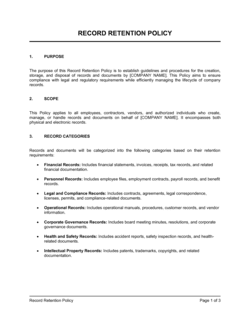
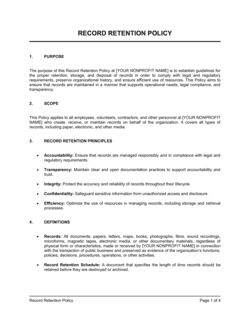
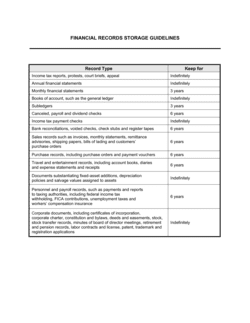
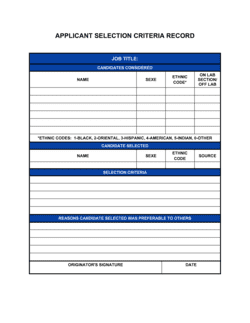
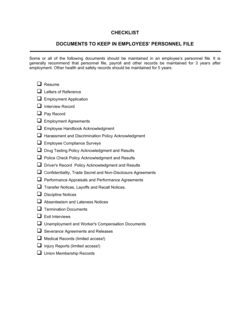
Checklist Key Record Keeping

Free download • Use as a template • Print or share

2 pages20–25 min to useDifficulty: Standard
Learn more ↓
FreeChecklist Key Record Keeping Template

At a glance

What it is
A Checklist Key Record Keeping is a structured form that inventories every category of business document a company must retain — financial records, legal agreements, tax filings, HR files, licenses, and more — along with each record's location, responsible owner, and retention deadline. This free Word download lets you edit and customize the checklist online and export it as a PDF for use across your team.
When you need it
Use it during an annual compliance review, when onboarding a new office manager or bookkeeper, or whenever your business faces an audit, due diligence request, or internal reorganization that requires confirming all critical records are accounted for and accessible.
What's inside
Record category columns, document names, filing locations (physical and digital), responsible parties, retention periods, last-reviewed dates, and a completion status column so nothing falls through the cracks.

What is a Checklist Key Record Keeping?

A Checklist Key Record Keeping is a structured business form that inventories every category of document a company must retain, track, and manage — from tax filings and financial statements to employment contracts, corporate records, and regulatory licenses. For each record type, the checklist captures the document name, physical and digital filing location, responsible custodian, required retention period, and current status. It turns an otherwise scattered collection of files into a verified, auditable inventory that any authorized team member can navigate without institutional memory or guesswork.

Why You Need This Document

Businesses that lack a formal record keeping checklist routinely discover missing documents at the worst possible moment — during a tax audit, investor due diligence, or employment dispute. The IRS can audit returns up to 7 years back; an employment claim may require producing records from a terminated employee's file years after they left. Without a checklist confirming records exist and are filed correctly, that retrieval becomes a disorganized search under pressure. A completed checklist also demonstrates good-faith compliance to regulators and reduces the time and cost of responding to information requests. This template gives you a ready-to-use structure that takes under two hours to complete and turns record keeping from a vague intention into a documented, verifiable process.

Which variant fits your situation?

If your situation is…Use this template
Tracking financial records and accounting documents specificallyAccounting Records Checklist
Managing HR and employee file retentionEmployee Records Checklist
Preparing documents for an external auditAudit Preparation Checklist
Organizing corporate entity documents for a new companyBusiness Setup Checklist
Tracking documents required for a business acquisitionDue Diligence Checklist
Logging physical file locations across a multi-office businessFile Index Log
Monitoring license and permit renewal deadlinesBusiness License Renewal Tracker

Common mistakes to avoid

❌ Applying one retention period to all records

Why it matters: Tax records require 7 years in most cases; employment applications only 1–2 years; corporate formation documents should be kept permanently. A blanket policy results in either premature destruction or unnecessary storage of records that should have been purged.

Fix: Assign a specific retention period to each record category based on the applicable regulatory requirement or industry standard, and document the source of each rule.
❌ Never updating the checklist after initial completion

Why it matters: Files get renamed, moved, and handed off. A checklist that reflects last year's folder structure sends people to the wrong location under pressure — exactly when accurate retrieval matters most.

Fix: Assign a review date to every entry and build a standing quarterly or annual review task into your operations calendar.

❌ Storing records only on a single personal device

Why it matters: A laptop crash, theft, or sudden employee departure can make years of business records permanently inaccessible. Regulators and auditors do not accept hardware failure as an excuse for missing records.

Fix: Require all records listed on the checklist to have at least one backup copy in a shared, access-controlled cloud or network location with documented access controls.

❌ Listing records as filed without verifying they exist

Why it matters: A checklist that says 'Filed' for a document that is actually missing creates a false sense of compliance — the gap only surfaces during an audit, due diligence, or dispute when the cost of the missing record is highest.

Fix: Adopt a verify-before-checking policy: physically or digitally confirm the file exists at the listed location before marking its status as Filed.

The 9 key fields, explained

Record Category

Document Name and Description

Filing Location (Physical)

Filing Location (Digital)

Document Custodian

Retention Period

Review / Last Updated Date

Expiry or Destruction Date

Completion Status

How to fill it out

  1. 1

    List all record categories relevant to your business

    Start by identifying every category of document your business generates or must retain: financial, tax, legal, HR, regulatory, operational, and corporate. Customize the template to remove categories that don't apply.

    💡 Check your industry's regulatory requirements before finalizing categories — healthcare and financial services businesses have category-specific mandates that generic lists miss.

  2. 2

    Name each document specifically

    For every category, list individual document types by name — 'Q1 2026 Payroll Register' rather than just 'Payroll Records.' Add a one-line description so any team member can identify the file without opening it.

    💡 Use the same naming convention your digital file system uses — consistency between the checklist and your actual folders cuts retrieval time significantly.

  3. 3

    Record physical and digital filing locations

    Enter the exact physical location (cabinet, drawer, folder) and full digital path (drive, folder, URL) for each record. If only one format exists, note that in the other column.

    💡 Hyperlink digital paths directly in the checklist so team members can navigate to the file in one click rather than navigating a folder tree manually.

  4. 4

    Assign a document custodian to each record

    Enter the name and job title of the person responsible for each record. Distribute ownership across department heads rather than centralizing everything with one person.

    💡 Add a backup custodian for critical records — tax filings, corporate documents, and employment contracts — so access isn't interrupted by turnover or leave.

  5. 5

    Set retention periods based on record type

    Research the applicable retention requirement for each document type and enter the duration in years, along with the regulatory or policy basis. Common examples: 7 years for tax records, 4 years for general business records, 3 years for I-9 forms after separation.

    💡 When in doubt, retain longer — the risk of premature destruction (regulatory penalties, lost evidence) outweighs the cost of extra storage in most cases.

  6. 6

    Calculate and enter destruction eligibility dates

    Add the retention period to the document creation date to get the earliest eligible destruction date. Enter this date in the Expiry column so you can schedule periodic purges.

    💡 Set a calendar reminder 60 days before each destruction date to give custodians time to confirm no litigation hold or audit is pending before destroying records.

  7. 7

    Set a review schedule and update dates

    Enter today's date in the Last Reviewed column for each row you've verified. Commit to a review cadence — quarterly for active operational records, annually for archived records.

    💡 Pair the annual checklist review with your fiscal year-end close or tax preparation process so both tasks share the same documentation effort.

Frequently asked questions

What is a key record keeping checklist?

A key record keeping checklist is a structured inventory of every significant document category a business must retain, organized by record type, filing location, responsible custodian, and retention deadline. It functions as a single reference that lets any authorized team member locate a specific record quickly and confirms that nothing critical is missing or overdue for destruction.

What business records should be on the checklist?

At minimum, include financial records (bank statements, invoices, receipts, P&L statements), tax filings (federal, state, and payroll returns), legal documents (contracts, leases, licenses, corporate formation documents), HR files (employment contracts, I-9 forms, payroll registers), insurance policies, and regulatory permits. Businesses in healthcare, finance, or food service should add any industry-specific compliance records mandated by their regulator.

How long should business records be kept?

Retention periods vary by document type and jurisdiction. As a general guide: tax records 7 years, employment records 4–7 years after separation, contracts 6–7 years after expiration, corporate formation documents permanently, and I-9 forms 3 years after hire date or 1 year after separation, whichever is later. Consult an accountant or legal advisor to confirm the requirements specific to your industry and location.

What is the difference between a record keeping checklist and a document retention policy?

A document retention policy is a formal written policy that defines the rules — which records to keep, how long, and how to destroy them. A record keeping checklist is the operational tool that applies that policy to your actual files, listing specific documents by name, location, custodian, and deadline. You need both: the policy sets the rules, the checklist proves you followed them.

How often should the checklist be reviewed?

Review the checklist at least once a year, ideally aligned to your fiscal year-end or annual tax preparation cycle. Active record categories — payroll, accounts payable, customer contracts — benefit from a quarterly review. Any major organizational change (new office, system migration, staff turnover) should also trigger an immediate partial review of affected record categories.

Does a record keeping checklist need to be signed?

No signature is legally required for an internal checklist, but having the responsible custodian initial or date each row they have verified creates accountability and demonstrates due diligence if records are ever challenged in an audit or dispute. For regulated industries, a supervisor sign-off on the completed checklist provides an auditable approval trail.

Can I use a spreadsheet instead of a Word checklist?

A spreadsheet works well when you need to sort and filter by custodian, retention date, or status across a large number of records. A Word checklist is better suited for printing, sharing in meetings, or submitting as part of a compliance report. Many businesses maintain both: a live spreadsheet for day-to-day management and a PDF export for audit submissions.

What happens if a required record is missing?

A missing required record can result in regulatory penalties, failed audits, weakened legal positions in disputes, and delays in due diligence during a sale or financing event. When you identify a gap, note it in the Status column as Missing, assign the custodian a deadline to locate or recreate the record (where permissible), and document the remediation steps taken. For tax records, consult your accountant immediately if an IRS-relevant document cannot be located.

Should digital and physical records both be included?

Yes. Include both formats in the checklist and record a location for each. Many businesses keep original signed contracts in physical files and scanned copies in cloud storage — the checklist should note both locations so team members know where to look and auditors can verify that at least one retrievable copy exists.

How this compares to alternatives

vs Document Retention Policy

A document retention policy is a formal written rulebook that defines which records must be kept, for how long, and how they must be destroyed. A record keeping checklist is the day-to-day operational tool that puts the policy into practice against your actual file inventory. The policy sets standards; the checklist proves compliance.

vs Due Diligence Checklist

A due diligence checklist is used by acquirers or investors to request specific documents during a transaction. A key record keeping checklist is an internal ongoing management tool for confirming records exist and are properly filed. Businesses that maintain a current record keeping checklist can respond to due diligence requests far faster.

vs Audit Preparation Checklist

An audit preparation checklist is event-driven, assembled when an audit is imminent, and focused on gathering evidence for a specific review period. A key record keeping checklist is a continuous, comprehensive inventory maintained year-round. A well-maintained record keeping checklist makes audit preparation a matter of pulling existing files rather than a scramble.

vs File Index Log

A file index log records the location of individual documents in granular detail, functioning like a catalog. A key record keeping checklist operates at the category level, confirming that each type of required record exists, is current, and has a named custodian. Use the checklist for compliance oversight and the index for day-to-day file retrieval.

Industry-specific considerations

Professional Services

Tracks client engagement letters, billing records, professional liability certificates, and state licensing documents against multi-year retention requirements.

Retail and E-commerce

Covers sales receipts, supplier invoices, inventory records, sales tax filings by state, and PCI compliance documentation.

Healthcare

Includes HIPAA-required patient record retention schedules, provider credentialing files, malpractice insurance certificates, and CMS billing documentation.

Construction and Trades

Logs project contracts, lien waivers, permits, safety inspection records, subcontractor insurance certificates, and warranty documents by project.

Template vs pro — what fits your needs?

PathBest forCostTime
Use the templateSmall businesses, startups, and any organization building or refreshing a record keeping system without dedicated compliance staffFree1–2 hours to complete
Template + professional reviewBusinesses in regulated industries or preparing for an audit, financing, or acquisition$150–$400 (accountant or compliance advisor review)Half a day
Custom draftedMid-size or enterprise businesses with complex multi-jurisdiction retention requirements or formal records management programs$500–$2,000 (records management consultant)1–2 weeks

Glossary

Retention Period
The minimum length of time a business is required or advised to keep a specific record before it may be lawfully destroyed.
Document Custodian
The designated person or department responsible for maintaining, accessing, and disposing of a specific category of records.
Disposition
The formal process of destroying, archiving, or transferring a record once its retention period has expired.
Audit Trail
A chronological record of document creation, access, modification, and disposal that demonstrates compliance with record keeping policies.
Corporate Records
Foundational legal documents of a business entity, including articles of incorporation, bylaws, meeting minutes, and shareholder registers.
Active vs. Inactive Records
Active records are accessed regularly for day-to-day operations; inactive records are retained for compliance or historical purposes but rarely retrieved.
Electronic Document Management
The use of software or cloud storage to organize, index, and retrieve digital business records in lieu of or alongside physical filing systems.
Statute of Limitations
The maximum time period after an event during which legal action may be initiated — a key factor in determining how long certain records must be kept.
Chain of Custody
Documented evidence of who has handled a record at each stage of its lifecycle, used to establish the integrity of sensitive or legal documents.
Destruction Certificate
A written record confirming that specific documents were securely destroyed in accordance with the company's retention policy and applicable regulations.

Part of your Business Operating System

This document is one of 3,000+ business & legal templates included in Business in a Box.

  • Fill-in-the-blanks — ready in minutes
  • 100% customizable Word document
  • Compatible with all office suites
  • Export to PDF and share electronically

Create your document in 3 simple steps.

From template to signed document — all inside one Business Operating System.
1
Download or open template

Access over 3,000+ business and legal templates for any business task, project or initiative.

2
Edit and fill in the blanks with AI

Customize your ready-made business document template and save it in the cloud.

3
Save, Share, Send, Sign

Share your files and folders with your team. Create a space of seamless collaboration.

Save time, save money, and create top-quality documents.

★★★★★

"Fantastic value! I'm not sure how I'd do without it. It's worth its weight in gold and paid back for itself many times."

Managing Director · Mall Farm
Robert Whalley
Managing Director, Mall Farm Proprietary Limited
★★★★★

"I have been using Business in a Box for years. It has been the most useful source of templates I have encountered. I recommend it to anyone."

Business Owner · 4+ years
Dr Michael John Freestone
Business Owner
★★★★★

"It has been a life saver so many times I have lost count. Business in a Box has saved me so much time and as you know, time is money."

Owner · Upstate Web
David G. Moore Jr.
Owner, Upstate Web

Run your business with a system — not scattered tools

Stop downloading documents. Start operating with clarity. Business in a Box gives you the Business Operating System used by over 250,000 companies worldwide to structure, run, and grow their business.

Start free · No credit card required