10 Powerful Video Marketing Tips To Grow Your Business

Free to read β€’ Save or share with one click

Free10 Powerful Video Marketing Tips To Grow Your Business Template

At a glance

What it is
10 Powerful Video Marketing Tips To Grow Your Business is a structured operational guide in Word format that gives marketers and business owners a concrete, actionable framework for planning, producing, and distributing video content that drives measurable growth. This free Word download walks you through ten evidence-based tips β€” from goal setting and audience targeting to SEO optimization and performance tracking β€” that you can adapt to any industry or budget.
When you need it
Use it when launching a video marketing initiative from scratch, revamping an underperforming video strategy, or onboarding a marketing team member who needs a proven framework to follow. It is equally useful when preparing a video content calendar or pitching a video budget to leadership.
What's inside
Goal-setting and KPI definition, audience and platform research, content planning and scripting guidance, production and editing recommendations, SEO and metadata best practices, distribution and scheduling strategy, paid promotion considerations, engagement and community tactics, repurposing workflows, and analytics review processes.

What is a Video Marketing Tips Guide?

A Video Marketing Tips Guide is an operational reference document that translates video marketing best practices into a structured, step-by-step framework a business can implement and repeat. Rather than a list of abstract advice, this template organizes ten proven tactics β€” from goal setting and audience research through production, distribution, repurposing, and analytics β€” into fillable sections that connect directly to your specific goals, platforms, and team workflows. Each tip includes sample language, a common mistake to avoid, and a concrete action you can take immediately.

Why You Need This Document

Businesses that produce video without a documented framework consistently make the same avoidable mistakes: recording without a defined goal, publishing on one platform and stopping there, spending production hours on content that never gets repurposed, and checking analytics once a quarter when the algorithm has already moved on. The cost is concrete β€” hours of production budget with no measurable return, and no record of what worked or why. This template gives your team a shared operational standard for every video you produce, making it possible to evaluate performance, improve iteratively, and build a video channel that compounds in reach and effectiveness over time rather than starting from scratch with every campaign.

Which variant fits your situation?

If your situation is…Use this template
Building a full multi-channel content strategy beyond videoContent Marketing Plan
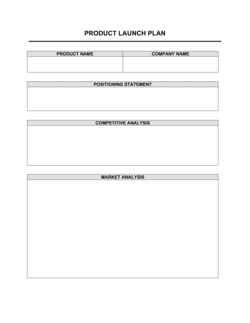
Planning video content for a specific product launchProduct Launch Plan
Creating a detailed editorial calendar for all content typesMarketing Editorial Calendar
Developing a complete inbound marketing strategyMarketing Plan
Outlining a social media strategy that includes videoSocial Media Marketing Plan
Pitching a video marketing budget to internal stakeholdersMarketing Budget Template
Tracking video campaign performance over timeMarketing Report

Common mistakes to avoid

❌ Producing videos without a defined goal

Why it matters: Without a goal tied to a measurable KPI, there is no basis for evaluating ROI or deciding which content to scale β€” every video feels like an equally good or bad investment.

Fix: Define a single primary goal and one KPI before any production begins. Enter them in the goal-setting section and revisit them at every monthly analytics review.

❌ Ignoring audio quality in favor of video resolution

Why it matters: Viewers abandon videos with poor audio within the first 10 seconds, regardless of how sharp the picture is. Poor audio is the single most-cited reason for video abandonment in viewer surveys.

Fix: Invest in a USB or lavalier microphone before upgrading the camera. Record a 30-second audio test and listen on headphones before every shoot.

❌ Publishing on one platform and stopping there

Why it matters: A video published only to YouTube misses the audience segments active on LinkedIn, Instagram, and email. Single-platform distribution wastes the majority of the content's potential reach.

Fix: Complete the distribution checklist in Tip 6 for every video, covering at minimum two platforms and one email send within 48 hours of publication.

❌ Skipping the repurposing workflow

Why it matters: Each unrepurposed long-form video represents five to ten derivative assets that were never created, compounding the cost of every hour spent in production.

Fix: Assign repurposing tasks β€” clips, blog post, email snippet β€” at the same time the original video is scheduled, not as an afterthought after publication.

❌ Reviewing analytics quarterly instead of monthly

Why it matters: Platform algorithms update frequently and audience behavior shifts; quarterly reviews mean three months of budget can be spent on a format or platform that stopped performing in month one.

Fix: Set a recurring monthly analytics review date using the Tip 10 framework and document the top and bottom performers each month.

❌ Using generic thumbnails without testing

Why it matters: Thumbnail CTR on YouTube varies from under 2% to over 10% for the same video depending on the image. A generic thumbnail can reduce total views by 60–80% compared to an optimized one.

Fix: Run a documented A/B test on every high-priority video's thumbnail using the framework in Tip 9, and log the outcome in the running test history.

The 10 key sections, explained

Tip 1 β€” Define clear goals and KPIs before you record

Tip 2 β€” Research your audience and choose the right platform

Tip 3 β€” Plan and script your content before production

Tip 4 β€” Optimize production quality within your budget

Tip 5 β€” Optimize titles, descriptions, and tags for search

Tip 6 β€” Distribute across owned, earned, and paid channels

Tip 7 β€” Drive engagement in the first 24–48 hours

Tip 8 β€” Repurpose each video into multiple content formats

Tip 9 β€” Test thumbnails and titles with A/B experiments

Tip 10 β€” Review analytics and iterate on a monthly cadence

How to fill it out

  1. 1

    Set your video marketing goal and primary KPI

    Choose one primary business goal for your video program β€” awareness, lead generation, conversion, or retention. Assign one KPI per goal (e.g., CTR for lead generation, watch time for awareness). Enter both in Tip 1.

    πŸ’‘ Restrict yourself to one primary KPI per video campaign; tracking five metrics equally produces no actionable signal.

  2. 2

    Define your target audience and platform

    Write a one-paragraph audience profile covering job title or demographic, core pain point, preferred platforms, and typical content consumption time. Map this to the platform recommendations in Tip 2.

    πŸ’‘ Pull platform data from your existing social analytics before assuming. Your audience's actual behavior often differs from industry benchmarks.

  3. 3

    Build a content brief and script for each video

    For every planned video, complete the brief template in Tip 3: hook, body key points, and CTA. A 90-second video needs a script of roughly 225 words spoken at a natural pace.

    πŸ’‘ Record a rough audio read-through of the script before filming to catch awkward phrasing and check timing.

  4. 4

    Set minimum production standards for your team

    Use Tip 4 to document the audio, lighting, and framing standards your team will follow for every video. Capture these as a checklist in the template so any team member can produce consistent-quality content.

    πŸ’‘ A $50 USB microphone and a window with natural light meet the minimum production standard for most business video content.

  5. 5

    Write SEO-optimized titles and descriptions

    Using the format in Tip 5, draft the title, first 125 characters of the description, and three to five tags for each video before it is published. Have a team member review for keyword inclusion.

    πŸ’‘ Use your platform's autocomplete search bar to identify the exact keyword phrases your audience is already typing.

  6. 6

    Build the distribution and repurposing checklist

    Fill in the distribution table in Tips 6 and 8 for each video: owned channels, email segment, paid promotion budget if applicable, and the derivative assets you will produce within five business days of publication.

    πŸ’‘ Assign repurposing tasks to a team member at the same time you schedule production β€” not after the video is published.

  7. 7

    Schedule the monthly analytics review

    Enter a recurring monthly review date in Tip 10's analytics section. Pull watch time, CTR, engagement rate, and conversion rate for every video published in the prior 30 days and document the top and bottom performers.

    πŸ’‘ Compare performance against the KPI you set in Step 1 β€” not against competitors or platform averages, which rarely reflect your specific audience.

  8. 8

    Document test results and update your creative strategy

    Record every A/B test outcome from Tip 9 in a running log within the template. After three tests, identify a pattern in what drives higher CTR β€” face vs. text thumbnails, question vs. statement titles β€” and apply it as a standing creative rule.

    πŸ’‘ Three data points are the minimum for a pattern; do not change your entire thumbnail strategy based on a single test result.

Frequently asked questions

What are the most important video marketing tips for small businesses?

The highest-impact starting points for small businesses are defining a clear goal before recording, optimizing audio quality, and building a simple distribution checklist. Most small business video efforts fail not because of poor production quality but because videos are published without a target KPI or a plan to reach the audience that matters. This template walks you through all ten areas in a structured, prioritized order.

What is a video marketing strategy?

A video marketing strategy is a documented plan that connects video content to specific business goals β€” awareness, lead generation, conversion, or retention β€” and defines the audience, platforms, content formats, production standards, distribution process, and analytics review cadence needed to achieve those goals. Without a written strategy, video content is disconnected from business outcomes and difficult to scale or budget for.

How often should a business post video content?

Consistency matters more than frequency for most business video programs. Publishing one well-optimized, goal-aligned video per week consistently outperforms publishing three videos per week for a month and then going dark. Platform algorithms reward consistent posting schedules; a content calendar built from this template's planning section makes consistency achievable at any team size.

What platforms should I prioritize for video marketing?

Platform selection depends entirely on where your target audience spends time. YouTube is the default for search-driven evergreen content. LinkedIn outperforms YouTube for B2B audiences in professional services, SaaS, and consulting. Instagram Reels and TikTok dominate for B2C brands targeting under-40 demographics. The platform research section in Tip 2 of this template helps you map your specific audience to the right channel before committing production budget.

How long should a marketing video be?

Optimal length varies by platform and purpose. Instagram Reels and TikTok perform best at 30–60 seconds. LinkedIn video peaks at 1–2 minutes for organic posts. YouTube tutorials and explainers can run 7–15 minutes if they hold sustained watch time. The rule is to use exactly as many seconds as the content needs to deliver the promised value β€” not to pad to a target length or cut so aggressively that context is lost.

What video metrics actually matter?

The metrics that matter are the ones tied to your defined goal. For awareness campaigns, watch time and view count are the primary signals. For lead generation, CTR on the CTA and conversion rate are what matter. For retention and education, completion rate and repeat-view rate are most relevant. Tracking every available metric equally produces noise, not insight. The analytics section in Tip 10 of this template helps you focus on the one or two metrics that reflect actual business outcomes.

Can I produce effective business videos without a big budget?

Yes. A smartphone, a $50 USB microphone, and natural window lighting meet the minimum production standard for most business video formats. The production quality tips in Tip 4 of this template are calibrated for lean budgets β€” the recommendations prioritize audio clarity and stable framing over expensive equipment, because those two factors have the greatest impact on viewer retention and perceived credibility.

How do I repurpose video content efficiently?

The most efficient repurposing workflow starts at the scripting stage: design long-form videos so they contain self-contained segments that can be clipped independently. After publication, extract 30–60 second clips for short-form platforms, transcribe the audio for a blog post, pull two or three quote cards for social, and trim the most insight-dense 90 seconds for an email embed. The repurposing workflow in Tip 8 of this template maps this process into a repeatable checklist.

What is the difference between organic and paid video marketing?

Organic video marketing relies on algorithmic distribution β€” watch time, engagement, and SEO signals push content to new viewers over time without direct spend. Paid video marketing uses platform ad systems to target specific audiences immediately, regardless of organic signals. Both approaches are covered in this template: Tip 5 covers organic SEO optimization, and Tip 6 includes a paid promotion framework for high-priority videos where faster audience reach justifies the spend.

How this compares to alternatives

vs Marketing Plan

A marketing plan covers the full mix of channels, budgets, and tactics across an entire campaign or fiscal year. This video marketing tips guide is a focused tactical document specifically for the video channel. Use the marketing plan for overall strategy and this template to execute the video component within it.

vs Social Media Marketing Plan

A social media marketing plan governs all content formats across social channels β€” written posts, graphics, Stories, and video. This template focuses exclusively on video: production quality, SEO, repurposing, and analytics. The two documents are complementary; the social media plan sets channel strategy while this guide operationalizes video production within that strategy.

vs Product Launch Plan

A product launch plan coordinates all go-to-market activities across PR, sales, and marketing for a single product release. This video marketing guide is a standing operational document for an ongoing video program rather than a one-time event. The launch plan may reference or embed the video tactics from this template as a sub-component.

vs Content Marketing Plan

A content marketing plan covers all content formats β€” blog, email, podcast, video, and infographics β€” and governs their strategic integration. This document focuses exclusively on video with production-level specificity. Teams that operate both should use the content marketing plan for editorial strategy and this template for video-specific execution details.

Industry-specific considerations

SaaS / Technology

Product demo videos, onboarding walkthroughs, and feature announcement clips β€” each mapped to a stage in the customer lifecycle from trial to renewal.

Professional Services

Thought leadership interviews, client testimonial videos, and educational how-to content that builds trust and generates inbound leads over a long sales cycle.

Retail / E-commerce

Product unboxing and demonstration videos, user-generated content campaigns, and shoppable video formats that shorten the path from view to purchase.

Healthcare / Wellness

Patient education videos, practitioner introductions, and wellness tutorial content β€” with careful attention to claim accuracy and platform advertising restrictions on health-related content.

Template vs pro β€” what fits your needs?

PathBest forCostTime
Use the templateSmall business owners and marketing managers building or improving a video strategy with an in-house teamFree2–4 hours to complete the framework; ongoing monthly review cadence
Template + professional reviewTeams launching a paid video ad campaign or expanding to a new platform for the first time$300–$1,500 for a digital marketing consultant session or agency audit1–2 weeks
Custom draftedBusinesses running high-budget video campaigns across four or more platforms with dedicated paid media spend$2,000–$8,000+ for a full video marketing strategy engagement with an agency3–6 weeks

Glossary

View-Through Rate (VTR)
The percentage of viewers who watch a video ad to completion without skipping, used to measure creative effectiveness.
Click-Through Rate (CTR)
The percentage of viewers who click a link or call-to-action embedded in or below a video, relative to total views.
Watch Time
The total cumulative minutes viewers have spent watching a video or channel, a primary signal used by YouTube's algorithm to recommend content.
Engagement Rate
The combined rate of likes, comments, shares, and saves relative to total views or impressions on a given video.
Call to Action (CTA)
A specific, time-bound instruction embedded in a video β€” such as 'Subscribe now' or 'Visit the link in bio' β€” designed to prompt the next step.
Thumbnail
The static preview image displayed before a video plays; a key factor in click-through rate on platforms like YouTube and LinkedIn.
Video SEO
The practice of optimizing video titles, descriptions, tags, and transcripts so search engines and platform algorithms surface the content to relevant audiences.
Repurposing
Reformatting a single piece of video content into multiple shorter or different-format assets β€” clips, GIFs, audiograms, or blog posts β€” to extend its reach.
Above the Fold
The portion of a video or landing page visible without scrolling; placing CTAs or key messages here maximizes viewer exposure.
A/B Testing
Running two versions of a video element β€” thumbnail, title, or CTA placement β€” simultaneously to determine which drives better performance.
Conversion Rate
The percentage of video viewers who complete a desired action, such as filling out a form, making a purchase, or booking a call.

Part of your Business Operating System

This document is one of 3,000+ business & legal templates included in Business in a Box.

  • Fill-in-the-blanks β€” ready in minutes
  • Compatible with all office suites
  • Export to PDF and share electronically

Create your document in 3 simple steps.

From template to signed document β€” all inside one Business Operating System.
1
Download or open template

Access over 3,000+ business and legal templates for any business task, project or initiative.

2
Edit and fill in the blanks with AI

Customize your ready-made business document template and save it in the cloud.

3
Save, Share, Send, Sign

Share your files and folders with your team. Create a space of seamless collaboration.

Save time, save money, and create top-quality documents.

β˜…β˜…β˜…β˜…β˜…

"Fantastic value! I'm not sure how I'd do without it. It's worth its weight in gold and paid back for itself many times."

Managing Director Β· Mall Farm
Robert Whalley
Managing Director, Mall Farm Proprietary Limited
β˜…β˜…β˜…β˜…β˜…

"I have been using Business in a Box for years. It has been the most useful source of templates I have encountered. I recommend it to anyone."

Business Owner Β· 4+ years
Dr Michael John Freestone
Business Owner
β˜…β˜…β˜…β˜…β˜…

"It has been a life saver so many times I have lost count. Business in a Box has saved me so much time and as you know, time is money."

Owner Β· Upstate Web
David G. Moore Jr.
Owner, Upstate Web

Run your business with a system β€” not scattered tools

Stop downloading documents. Start operating with clarity. Business in a Box gives you the Business Operating System used by over 250,000 companies worldwide to structure, run, and grow their business.

Free Forever PlanΒ Β·Β No credit card required