Customer Service Request Form Template

Free Word download β€’ Edit online β€’ Save & share with Drive β€’ Export to PDF

1 pageβ€’15–25 min to fillβ€’Difficulty: Standard
Learn more ↓
FreeCustomer Service Request Form Template

At a glance

What it is
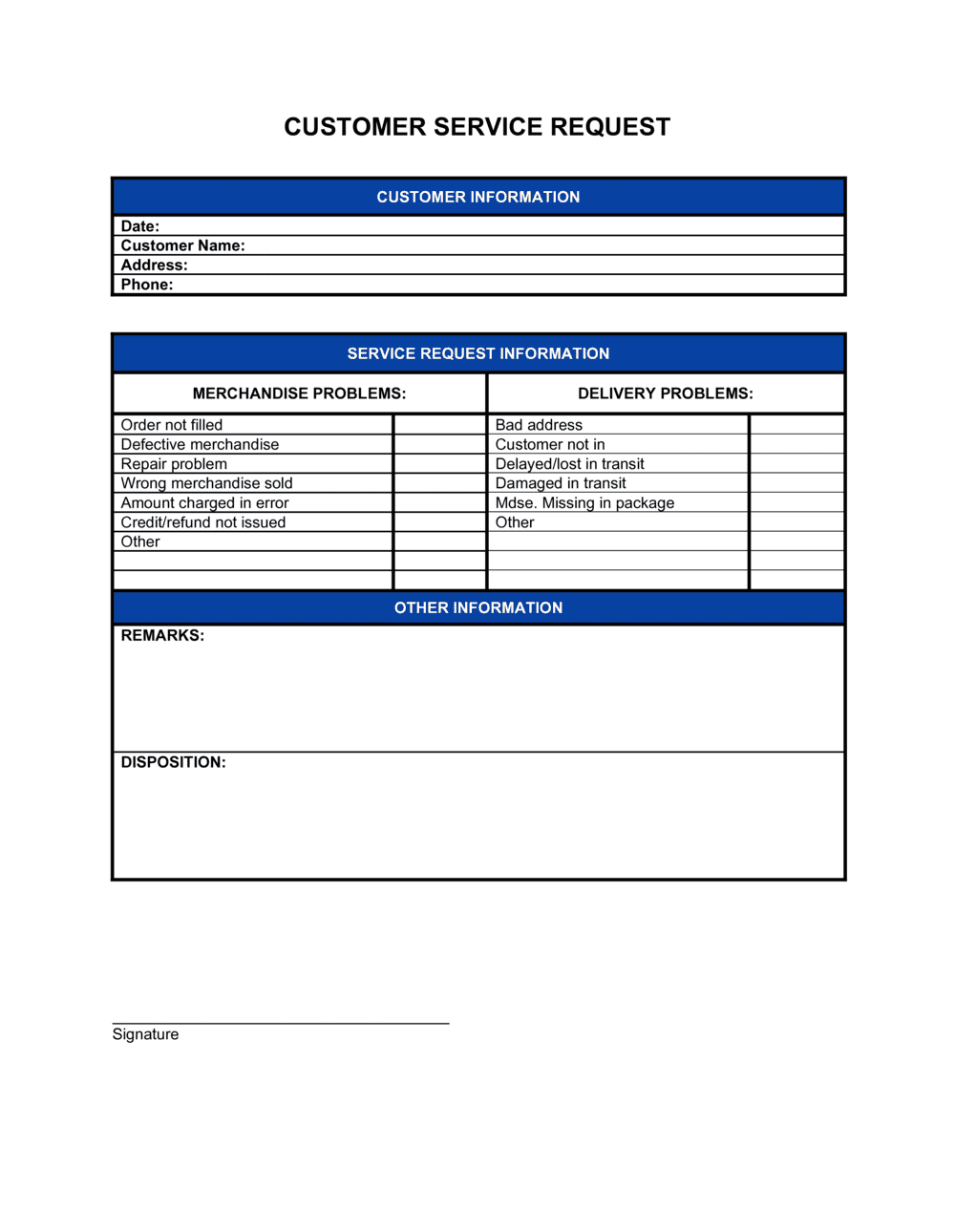
A Customer Service Request Form is a structured document used to capture, log, and route customer inquiries, complaints, or service needs in a consistent format. This free Word download gives you an editable, print-ready form you can customize with your branding and deploy across phone, email, walk-in, or online support channels.
When you need it
Use it any time a customer contacts your business with a question, complaint, return request, or service issue that requires follow-up or escalation. It is especially valuable when multiple staff members handle customer interactions and you need a uniform intake record.
What's inside
Customer contact details, request date and reference number, issue category, detailed description of the request, priority level, assigned representative, resolution notes, and follow-up status fields that carry the case from first contact through to closure.

What is a Customer Service Request Form?

A Customer Service Request Form is a structured intake document that captures every relevant detail about a customer's inquiry, complaint, or service need at the moment of first contact β€” and tracks it through to resolution. It records who the customer is, what they are asking for, which team member is responsible, what actions have been taken, and whether the issue has been closed to the customer's satisfaction. Rather than relying on email threads or memory, the form creates a single, consistent record that any team member can pick up and act on.

Why You Need This Document

Without a standard intake form, customer requests get handled inconsistently β€” some agents collect all the details, others record almost nothing, and follow-up depends on whoever happens to remember the conversation. The practical consequences are direct: customers repeat themselves on every contact, agents duplicate work, and issues that were never formally logged simply disappear. A service request form eliminates those gaps by giving every interaction the same structure, the same fields, and the same chain of accountability from intake to closure. For small businesses without helpdesk software, it delivers the core function of a ticketing system at no cost β€” and the field structure maps cleanly onto any platform you adopt as your request volume grows.

Which variant fits your situation?

If your situation is…Use this template
Logging a formal customer complaint requiring escalation or refundCustomer Complaint Form
Capturing product return or exchange requests at point of saleReturn and Refund Request Form
Tracking IT or internal helpdesk tickets for staffIT Service Request Form
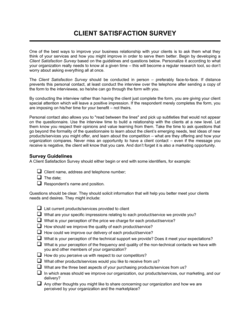
Collecting structured feedback after a service interactionCustomer Satisfaction Survey
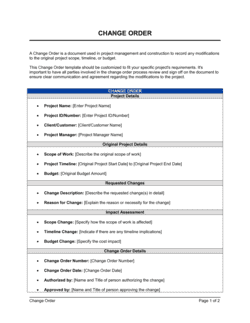
Managing ongoing client deliverables and scope changesChange Order Form
Recording warranty or repair service requestsProduct Warranty Claim Form

Common mistakes to avoid

❌ Skipping the reference number on simple requests

Why it matters: Without a reference number, there is no reliable way to retrieve the record when the customer calls back, which forces them to re-explain the entire issue and erodes trust.

Fix: Assign a reference number to every request regardless of complexity, and give the customer their number at the end of the initial interaction.

❌ Leaving priority and assignment fields blank

Why it matters: Unassigned, unprioritized requests sit in the queue with no owner and no deadline β€” they are the cases most likely to breach SLAs or go unanswered entirely.

Fix: Make priority and assigned representative mandatory fields on the form and audit open cases at the start of each shift for any blanks.

❌ Writing vague resolution notes

Why it matters: A note that reads 'spoke to customer' gives the next agent nothing to work with. Vague records lead to duplicate contacts, repeated promises, and customer frustration.

Fix: Require agents to log the specific action taken, the outcome, and any commitment made β€” including amounts, dates, or tracking numbers.

❌ Closing cases before customer confirmation

Why it matters: Cases marked resolved from the agent's perspective but still open from the customer's perspective generate repeat contacts, inflate your unresolved rate, and lower satisfaction scores.

Fix: Add a mandatory customer response field to the form and set a policy that cases can only move to Closed status after confirmation is recorded.

The 9 key fields, explained

Customer contact information

Request date and reference number

Request type / issue category

Detailed description of the request

Priority level

Assigned representative

Actions taken and resolution notes

Customer response and satisfaction confirmation

Follow-up date and status

How to fill it out

  1. 1

    Collect complete customer contact details at intake

    Ask for the customer's full name, phone number, email, and account or order number before any other information. This links the form to your existing customer record and ensures you can reach them through at least two channels.

    πŸ’‘ If your business uses a CRM, assign the form's reference number to match the CRM case ID so records stay in sync.

  2. 2

    Assign a reference number immediately

    Generate or write the unique reference number on the form as soon as it is created. Use a sequential format such as CSR-YYYY-NNNN so cases are sortable by year.

    πŸ’‘ Pre-print reference numbers on paper forms before your shift starts β€” this eliminates the chance of duplicates when multiple agents are logging requests simultaneously.

  3. 3

    Select the correct issue category

    Check the single most accurate category from the list. If the issue spans multiple categories, choose the primary driver and note the secondary issue in the description field.

    πŸ’‘ Review your category distribution monthly β€” if one category captures more than 30% of all requests, split it into subcategories for cleaner reporting.

  4. 4

    Record the description in the customer's own words

    Write down what the customer said, not your interpretation of it. Include the product name, order date, and the specific outcome the customer is requesting β€” replacement, refund, explanation, or action.

    πŸ’‘ Read the description back to the customer before moving on β€” this reduces follow-up contacts caused by misunderstood requirements.

  5. 5

    Set the priority level and assign an owner

    Assign priority based on your SLA tiers β€” for example, billing errors affecting account access are High; general product questions are Low. Enter the responsible agent's name and today's date in the assignment field.

    πŸ’‘ Never leave a form unassigned. If no agent is available, assign it to a queue owner role (e.g., 'Support Queue') so it is visible in the next shift's review.

  6. 6

    Log every action with a timestamp and initials

    Each time you take an action β€” calling the customer, processing a refund, escalating to a supervisor β€” add a new dated entry to the resolution notes field. Include your initials so the record is attributable.

    πŸ’‘ Treat the notes field as a conversation transcript, not a summary. The more detail you record, the faster a colleague can pick up the case if you are unavailable.

  7. 7

    Confirm resolution with the customer before closing

    Before marking the status as Closed, contact the customer to confirm they consider the issue resolved. Record their response in the customer response field.

    πŸ’‘ A brief confirmation email β€” 'We're following up to confirm your case #CSR-2026-0001 has been resolved to your satisfaction' β€” creates a written record of closure.

  8. 8

    Set a follow-up date for any open or pending cases

    If the case cannot be closed immediately, enter a specific follow-up date and update the status to In Progress or Pending Customer. Review the queue daily and act on every case that has reached its follow-up date.

    πŸ’‘ Sort your open request log by follow-up date at the start of each shift β€” cases approaching their SLA deadline should be your first calls of the day.

Frequently asked questions

What is a customer service request form?

A customer service request form is a structured intake document used to capture, classify, and track customer inquiries, complaints, or service needs from first contact through to resolution. It records who the customer is, what they need, who is responsible for helping them, and what actions were taken β€” giving your team a consistent, searchable record for every interaction.

When should a business use a customer service request form?

Use one any time a customer contacts your business with an issue that requires follow-up beyond an immediate answer β€” complaints, product defects, billing disputes, delivery problems, or warranty claims. It is especially important when multiple agents handle customer contacts, since a shared form ensures any team member can pick up a case without the customer repeating themselves.

What is the difference between a customer service request form and a complaint form?

A service request form covers the full range of customer interactions β€” questions, support needs, returns, and complaints. A complaint form is a narrower document specifically designed to formally document dissatisfaction, often triggering a defined escalation or review process. For most businesses, the service request form is the general-purpose intake tool and the complaint form is used when a request escalates to a formal grievance.

Does a customer service request form need to be signed?

In most business contexts, no signature is required. The form is an internal operational record, not a legal contract. Some industries β€” healthcare, financial services, or regulated utilities β€” may require a customer acknowledgment signature for data handling or privacy compliance purposes, but for general business use a completed and dated form is sufficient.

How should customer service request forms be stored?

Completed forms should be stored in a secure, searchable system β€” a CRM, shared drive, or dedicated support platform β€” for a minimum of 12–24 months depending on your industry and any applicable data retention obligations. Paper forms should be scanned and digitized promptly. Storing forms by reference number makes retrieval fast when customers follow up or disputes arise.

Can I use this template without helpdesk software?

Yes. The Word template is designed to work as a standalone form β€” printed for in-person or phone intake, or filled out digitally and saved as a PDF. It gives small businesses the structure of a helpdesk ticket system without a software subscription. When your request volume grows to the point where manual tracking becomes time-consuming, the form's field structure maps cleanly onto most helpdesk platforms.

How do I prioritize customer service requests effectively?

Define priority tiers based on business impact and SLA commitments before you receive your first request. A common four-tier structure: Urgent (system down or financial harm, same-day response), High (significant inconvenience, response within 4 hours), Medium (moderate issue, next-business-day response), Low (general inquiry, 48-hour response). Document the criteria for each tier so agents apply them consistently.

What metrics can I track using a customer service request form?

With consistently completed forms you can track volume by issue category, average resolution time by priority tier, first contact resolution rate, re-opened cases, and agent workload distribution. These metrics are valuable for identifying recurring product or process problems, staffing the support team appropriately, and meeting SLA commitments. Even a simple spreadsheet log of completed forms generates actionable data within 30 days.

How this compares to alternatives

vs Customer Complaint Form

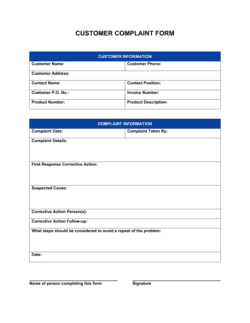
A complaint form is a narrower document specifically for recording formal dissatisfaction, typically triggering a defined escalation or review process. A service request form covers the full range of customer interactions β€” questions, returns, support needs, and complaints β€” making it the general-purpose intake tool. Use the complaint form when the situation has escalated beyond a routine service need.

vs Customer Satisfaction Survey

A satisfaction survey collects structured feedback after a service interaction to measure quality and identify improvement areas. A service request form documents the interaction itself β€” what the customer needed and how it was resolved. The two documents complement each other: the request form creates the case record; the survey closes the loop on the customer experience.

vs Change Order Form

A change order form is used in project or contract contexts to formally document and approve scope modifications requested by a client. A customer service request form is an operational intake tool for any customer issue. Use a change order when the request affects contracted deliverables, cost, or timelines; use the service request form for support and service interactions.

vs Help Desk Ticket (software)

Helpdesk software automates assignment, SLA tracking, and reporting but requires setup, training, and a recurring subscription. This Word template provides the same structured intake fields at zero cost β€” ideal for businesses that handle fewer than 20 requests per week or are not yet ready to invest in dedicated support software. The template's field structure maps directly to most helpdesk platforms when you are ready to migrate.

Industry-specific considerations

Retail and e-commerce

High volume of return, exchange, and delivery dispute requests makes a consistent intake form essential for routing and resolution tracking.

Professional services

Client change requests and support queries during active engagements need to be documented to protect scope, timeline, and billing accuracy.

Healthcare and wellness

Patient service requests β€” billing questions, appointment changes, records requests β€” require documented intake for compliance and audit trails.

Property management and real estate

Maintenance requests and tenant service complaints need a formal log for liability protection and contractor coordination.

Template vs pro β€” what fits your needs?

PathBest forCostTime
Use the templateSmall businesses, retail teams, and service providers handling support requests without a dedicated helpdesk platformFree10 minutes to customize, immediate deployment
Template + professional reviewBusinesses adding industry-specific fields, HIPAA data handling language, or multilingual versions$50–$200 (operations consultant or admin setup)1–2 days
Custom draftedEnterprises integrating intake forms with CRM workflows, automated routing, and SLA reporting dashboards$500–$3,000+ (developer or operations consultant)1–3 weeks

Glossary

Service Request
A formal submission by a customer asking a business to address a question, problem, or need β€” distinct from a purchase transaction.
Reference Number
A unique identifier assigned to each request at intake, used to track the case across systems and communications.
Priority Level
A classification (e.g., low, medium, high, urgent) that determines how quickly a request must be acknowledged and resolved.
Escalation
The process of transferring a request to a higher-level representative or department when the initial agent cannot resolve it within their authority.
Resolution Notes
A written record of the actions taken to address the customer's request, including any decisions made, parts ordered, or compensations offered.
SLA (Service Level Agreement)
A defined commitment β€” often expressed in hours or days β€” for how quickly a business will respond to or resolve a request of a given priority.
First Contact Resolution (FCR)
A metric measuring the percentage of requests fully resolved during the customer's initial interaction, without requiring a follow-up contact.
Ticket Queue
A list of open service requests awaiting assignment or action, ordered by priority, date received, or assigned agent.
Case Closure
The formal step of marking a service request as resolved, typically after confirming with the customer that the issue is fully addressed.
Customer Record
A stored profile containing the customer's contact details, account history, and prior service interactions used to personalize and accelerate support.

Part of your Business Operating System

This document is one of 3,000+ business & legal templates included in Business in a Box.

  • Fill-in-the-blanks β€” ready in minutes
  • 100% customizable Word document
  • Compatible with all office suites
  • Export to PDF and share electronically

Create your document in 3 simple steps.

From template to signed document β€” all inside one Business Operating System.
1
Download or open template

Access over 3,000+ business and legal templates for any business task, project or initiative.

2
Edit and fill in the blanks with AI

Customize your ready-made business document template and save it in the cloud.

3
Save, Share, Send, Sign

Share your files and folders with your team. Create a space of seamless collaboration.

Save time, save money, and create top-quality documents.

β˜…β˜…β˜…β˜…β˜…

"Fantastic value! I'm not sure how I'd do without it. It's worth its weight in gold and paid back for itself many times."

Managing Director Β· Mall Farm
Robert Whalley
Managing Director, Mall Farm Proprietary Limited
β˜…β˜…β˜…β˜…β˜…

"I have been using Business in a Box for years. It has been the most useful source of templates I have encountered. I recommend it to anyone."

Business Owner Β· 4+ years
Dr Michael John Freestone
Business Owner
β˜…β˜…β˜…β˜…β˜…

"It has been a life saver so many times I have lost count. Business in a Box has saved me so much time and as you know, time is money."

Owner Β· Upstate Web
David G. Moore Jr.
Owner, Upstate Web

Run your business with a system β€” not scattered tools

Stop downloading documents. Start operating with clarity. Business in a Box gives you the Business Operating System used by over 250,000 companies worldwide to structure, run, and grow their business.

Start freeΒ Β·Β No credit card required